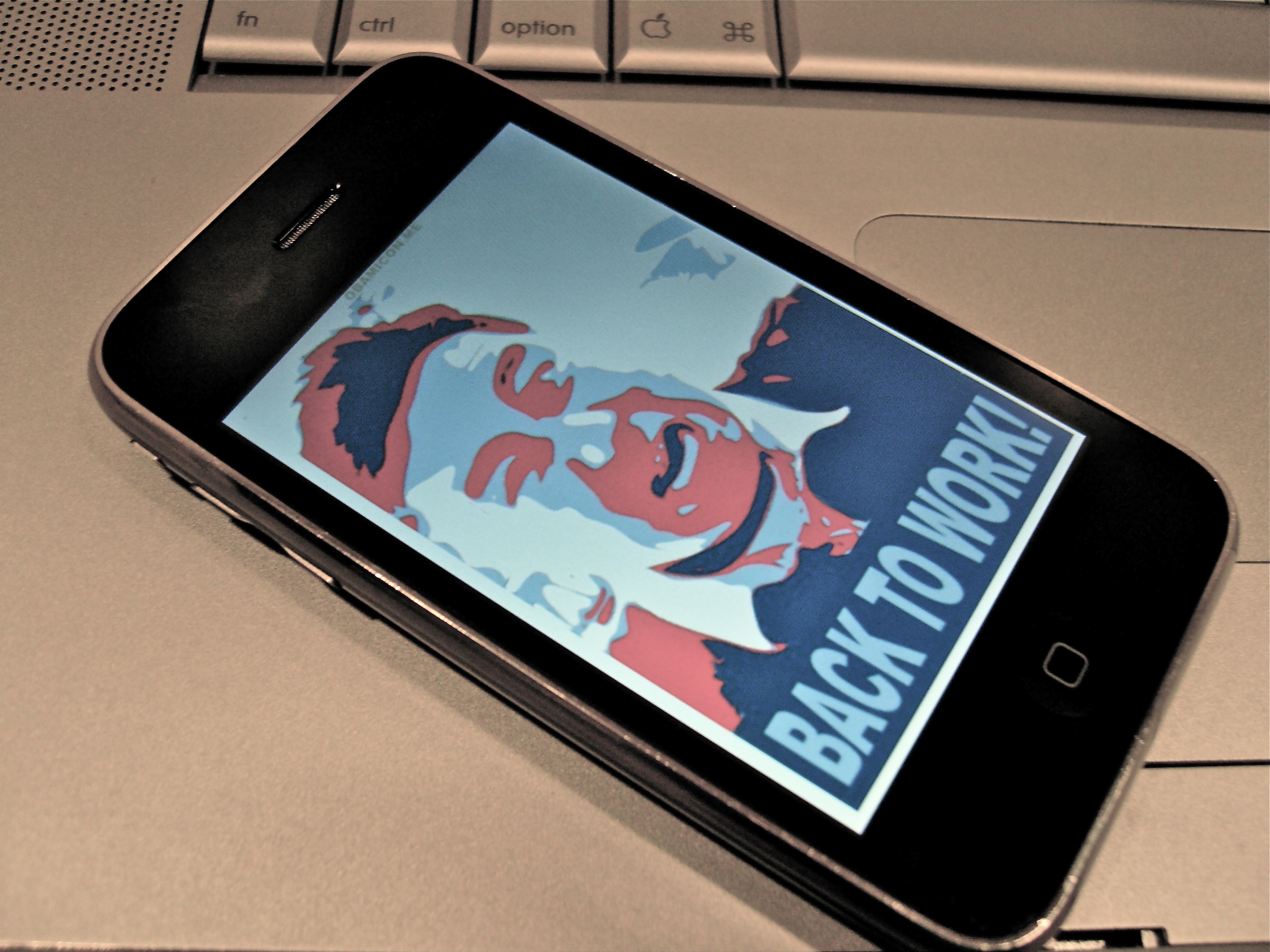
The iPhone Does Everything – REVIEW of View Ti N and View Ti Golf -UPDATED AFTER USE

screen001

Addendum 5-23-2009: contest for a download of View Ti Golf –link here

Preview -authored 12-2008

With the iPhone and App Store, every day is like Christmas. I had held off buying a Sky Caddy this year, because after purchasing the iPhone 3G, the first thing I noticed was when I GPS’d myself on Google Maps while playing at Hyperion, my exact spot on that hole showed up on the satellite view. I mentioned it to DH, and pointed out that if I could send a caliper to my target on the map, it would give me yardage readings. Why get a Sky Caddy?

img_0009

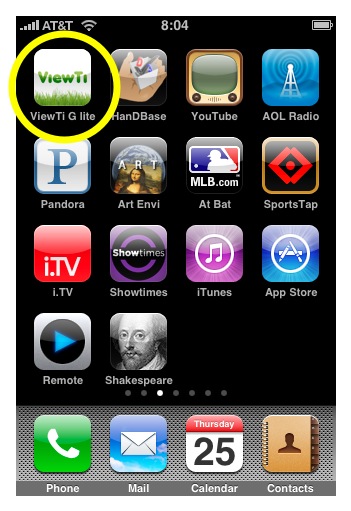
Well, the wait wasn’t too long -it seems every nook and cranny of a target iPhone owner’s needs are being met almost on a daily basis. I don’t go more than two or three days before perusing the App Store for the next great thing. But it was actually YH who recommended View Ti while we were out in NY. I downloaded the free Lite version to see if it had any Iowa courses on it -well it didn’t and I let it sit for a while. The closest listed course was over 80 miles away.

Couple of days ago, I went to the app’s website, and saw that you can email course requests. I zipped over requests for Wakonda and several other courses I scoot around on, and lo and behold, at 4 in the morning, I get an email telling me that all the courses were on.img_00111

When you pick the course, you are immediately given your GPS distance to the middle of the first green. Picking Wakonda, you get a setup screen for your game -it keeps your score as well! You then go to the yardage screen and you get a satellite view of the hole and your yardage -which from the my home office is around 18,924 yards! That would be about 90 perfectly hit hybrid-3’s as the bird flies.

This is impressive, and the paid version is 12.99 which is a significant discount from it’s previous price of around 20. Compared to a Sky Caddy -fuhgeddaboudit. Amazon lists various flavors at 150-300 bucks. It would be another golf gadget to get lost in my bag.

I am thoroughly impressed and look forward to actually using the program. I just purchased the full version while writing this preview.

Addendum: 2/2/2009:

I have noticed my 12.99 View Ti did not have the Google Maps images, but rather a simple display of yardage only . After some investigating, I have found that the 12.99 is for the basic version, with a View Ti G offering the Google Maps for a 39.99 fee. I will see if there is an upgrade path (with paying just the differential). Frankly, I don’t think that it’s a dealbreaker, because I know my course. The accuracy is claimed to be on par with SkyCaddie. It is still 20 degrees here in Iowa, so I haven’t had a chance to spin it up, but will report as soon as I use it.

Addendum: 2/21/2009

I tried both View Ti N and View Ti Golf. I am visiting my folks in Orlando, Florida, and it was easy to get their home course up (Sanctuary Ridge) from the GPS. img_0908The course is unusual for a Florida course in that it has challenging topography. None of it was created for the sake of undulations, but rather, the sloping hills of former orange groves have been carved into a very nice layout. The subdivision was one of the last built by Levitt and Sons before they went belly up -an early casualty of the current crisis.

img_0020The score keeper function works nicely except for a bug I noticed in going back to a hole to edit the score -the previous score tends to persist until you go back and change it a couple of times.

The personal scoring feature is seen in both the cheaper N version as in the Golf version. The star feature of the Golf version, which brings out the green for the approach shot and allows you to move a red cursor to the pin position worked fine, but I have one complaint. The satellite images that were used for this course came from an old satellite set that shows the greens and fairways when they were under contruction.

Don’t expect real time satellite views -it’s expecting too much. The other annoying thing which I think is a deal breaker for me and makes me wish I didn’t pay the full 49 bucks (only hours before it became available today for 24.99), is that it takes time to download the images and orient them on the screen -takes up a crucial 5-10 seconds which I don’t want to use fiddling. This is where the View Ti N works just fine.

View Ti N has advantage in that the image of the green does not have to be downloaded and you are limited by GPS satellite fixation -takes about 2-5 seconds.
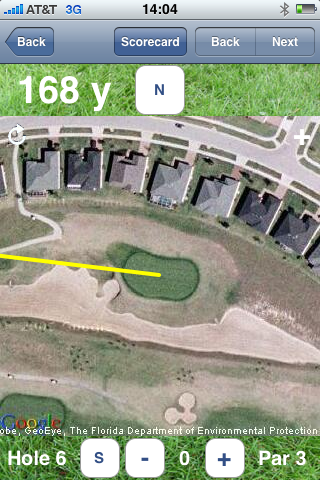
takes about 5 seconds, and are outdated images

takes about 5 seconds, and are outdated images

As for scoring a foursome, it just does not beat the utility and legal formality of a scorecard and a pencil. I think the utility is personal -in being able to track Fairways, Greens in Regulation, and Putts. This is something I do with a scorecard and View Ti N (and Golf) do this well.

Verdict -wish I had this info before pouring 49.99 into View Ti Golf. The N gives you exactly what you need -the distance to the center of the green and the personal golf score function. Scoring for 4 on the iPhone is just a set up for grief and I would avoid it unless it can talk to other iPhones with View Ti Golf.

One more thing – starting with a 75% charge – the phone quickly drained it’s battery. It was redline by the 9th hole granted I was clicking pictures, but the heavy GPS and 3G usage shpwed Having used it only once I can’t say it’s a feature isolated to the Golf version.

An Aussie reader commented that his course was not available -would be very interested in an update.

Addendum 3-8-2009:
View Ti isn’t working in Houston. For the two courses I played yesterday (Houston National and Blackhorse), the yardages were off by 10-20 yards, which coincides with the minimal survivable radius for a mortar round while keeping your blue dot on track in Google maps. I wonder if GPS is detuned in Houston.

Addendum 3-11-2009

Have given the inaccuracy issue in Houston some thought -It was about 10 yards off at Redstone, site of the Shell Houston Open. I think it could because of two things -first -View Ti just upgraded after I got back for “GPS issues.” The other thing I read online is that the location function on iPhone uses a combination of GPS and cell tower triangulation, and when 3G is active, it pushes the accuracy off kilter. I haven’t tried it yet, but I will be on some courses soon -but the gist is that 3G should be turned off for accurate GPS. Who knew?

Addendum 3-17-2009

Having tried it at Montauk Downs on Long Island, I found View Ti N -which I used to avoid lags, to be accurate within to visual estimates and to the fixed yardages on the course. This has been since I updated for the “GPS” issues. I do find that getting a GPS fix takes about 10 seconds, so you should get in the habit of turning it on on the tee.

Addendum 3-22-2009

There has been an update to both View Ti N and Golf -described as a rollback to improve GPS accuracy. I will be trying these out at local courses this week. I wonder if this was at the heart of the readings being about 10 yards off in Houston?img_00011

Addendum 3-24-2009

I requested an odd little 9 hole “farm course” that is common here in Iowa. Small municipalities each have a 9-holer that is tucked away and easily accessible. It is also pretty cheap -with basic 9 hole greens fees running 14 dollars. As a test of strength, I requested the course on iPhone by simply pressing the course request button -it brings up an email addressed to the support people -I specified the course name, Sugar Creek, and locale -Waukee, IA. Didn’t say anything about it being just 9 holes. It took 48 hours -a day longer than a previous attempt, but they successfully loaded it in the correct hole order -I don’t know how they manage this magic as this particular course runs all over the place as the cow meanders. Kudos to the View Ti people. My home course is opening the putting greens this weekend!

Addendum 4-4-2009

In Florida, at Sanctuary Ridge, looking at a par 3, scrnshotthe View Ti Golf is telling me 127 yards (see screenshot to the left), but the tee is two yards in front of a stone marker (inset left) saying it was 133 yards -assuming center of green. The flag was red, and on the front margin, so it was less by a bit, but the discrepancy was annoying. The green as we drove up is shown below.

The question was, do I hit a hard wedge or a soft 9 iron. With the wind at my face, I chose a regularly swing 9 iron with the ball slightly teed up to take a bit of distance off -I was calculating about 124 yards.

I was pin high, but fact is, I think the discrepancy has two sources -the builders may have placed the marker and things may have moved in the 5 years (ie margins of green therefore center of green), or the mappers at View Ti when planting the hold in the visual center of the green are subject to an error of around 1-2 yards. I think the GPS is also subject to a 1-3 yard margin of error.

img_0070This 5 yard variance is a half a club for me. That being said, I was okay with my decision to use the 9 iron. On approach, the distance was not too back, and I rely on my visualization of the flag.

The score keeping function was nice, but I don’t like recording a Fairway reached as a Zero rather than an X. This was confusing at first, as I would have thought a missed fairway was a Zero, and a fairway reached was X. Even specifying yes/no would be better. Also, I reached both par 5’s in two -is that a green in regulation or not? I think not. A GIR with three put should be a bogey, but a green reached in two with three putt is a par.

My score card shown below, was easy to track, and provided very useful statistics. Primarily, if I managed to avoid 3 putting the GIR’s and par fives reached in two, I would have shot a very nice 38! img_00041Addendum 4-5-2009

Wish List:

1. ability to forward your score to the USGA for handicapping -the course’s slope and handicap would be included meaning no fuss for the reporting person. You just have to input your USGA number into the preferences.

2. if you can email the above scorecard as a jpg or pdf, or format as a .csv file.

3. set up a database at View Ti for scores.

4. make buttons for scoring bigger and more visible -there has to be a way to keep shots, fairways, GIR, and putts on the same screen.

5. Turn the O’s into “yes” and X into “no’s” as an option.

6. add option for tracking 150 yards in and up and downs

7. long drive -be able to establish the location of the tee box then press a button to get driving distance -how cool is that?

img_0087Addendum 4-14-2009

The courses around here have opened up, every one except for mine which underwent a major facelift last year. The practice facilities have opened, and so I’ve been practicing my putting stroke -it’s not as easy as it used to be when I was a kid and everything was by feel and really good vision.

Not using View Ti, but using the Masters app, I think there is space for golf instruction apps that combine video, diagrams, and text -I’m not talking swing coach stuff, but rather things like putting drills and alignment drills and course management tips -especially after an analysis of the scorecard above (Would you like some putting tips?). I really like the Golf Tips with Joe Beck, but they stopped updating in 2008. They were short, simple, and effective. The Masters app proved that you can stream high quality video over 3G.

The real test for View Ti will be this weekend -I’m going to play on a course that has radiotelemetry location with a computer on the cart that gives you yardage. It’s very good and calibrated well to the course markings. We’ll see how View Ti matches up!

Addendum 4/17/2009: Faith

I am titling this addendum, Faith, because today, putting View Ti Golf head to head against Legacy’s radiofrequency triangulation units on their golf carts, View Ti did better -this is in comparison to actual course yardage markers, and to results. For example, img_0014the View Ti Golf image on the right shows the distance at 109 yards. The cart computer told me it was 118 yards to the pin. It was an elevated green, and this was a difference between a 9 iron and a PW. I have had growing faith in View Ti even over calculcated distances from actual physical yardage markers -eyeballing the 100 yard mark, I could see that it was about 120 yards correlating with the computer. I chose PW and got the result below:

img_0148

The ball to the right is mine which I had left for par…which I missed.

That being said, you have to give it about 10 seconds to get a good satellite fix, you have to use your eyes adjust the red triangle accordingly, and if its your home course, you have to know the yardages and pin locations better. I think the pins had been moved without recalibrating on the cart computer because of the way the physical marker jibed with the cart to center of green. Or I just had a lucky shot.

I think not, because it gave correct calls on clubbing far more often than the golf cart computer.

I found a glitch -if you roll over to next hole while scoring after the 18th hole, the scorecard rolls over to hole #1, and it changes the score to 1. If you press next hole -you then turn the #2 score into 1. The solution, after some frustration, involves fixing #1, then going back to #18. There should be a “finalize scorecard” or “sign scorecard” button that lets you end the round.

Addendum 4/22/2009

I went to the local track, Waveland, and got teamed up with two fine golfers -Rob, a regular, and Tyler, traveling on business. Rob looks to be a solid 15 handicapper who can shoot low, and Tyler used to play college golf, but laid up his sticks for 3 years. Rob was steady, two or three on, always two putting. Tyler could hit the ball 300 yards on the fly, and it was wondrous to see -only he also hit a lot of trouble for his feats of strength. He made up for it with up and down power which is the more desirable ability.
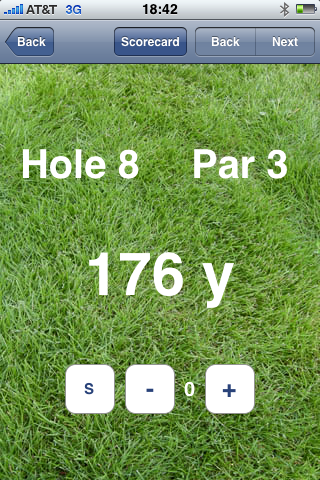
img_00022View Ti Golf just was not

img_0149

working! It crashed on boot, and this was annoying as I wanted to use the putt counter. I switched to View Ti N -it has no deep stats, but has green view (didn’t know!). I was having a horrible time pitching, chipping, but putting was on -made several 5-10 footers, and even drained a 15 footer on the 9th and last hole! I realized the range finding function has to be given time -at least 10 seconds, and the admonition about turning iPhone on as you walk up to the ball is a true thing. For example, the yardage marker pictured showed 175 to center.

View Ti N initially showed 188, but slowly, and I mean slowly, counted down to 176 yards. Good thing, because the group ahead was playing circle jerk.

img_01501

The paced out yardage was 188, and View Ti N reported this truly. I chose to fade a hybrid 3, aimed slightly left of center, and made an effortless swing -got the result below. About 15 feet away. View Ti N will give you as good a yardage as Sky Caddy for a fraction of the cost.

img_0152The upshot is that you have to turn the iPhone on as you approach the ball. It has to have a good clean 10-15 seconds -which can be an eternity if you’re not prepared or if you aren’t following the donkey and the three wise men.

After I got home, I couldn’t help notice that View Ti Golf had an update on the iTunes. They really, really have to consolidate their choices to ONE GREAT APP.

Update 4-25-2009

View Ti Golf is not working despite the update -it tries to startup then crashes back to the apps screen. View Ti N works fine -again, YH’s comments about turning it on and keeping it on while walking up to the ball (10 seconds on) gets it a good GPS fix. Good enough for allowing me to choose 4H over 3H at 177 yards to an elevated green. Results below:img_0160

Addendum 5-23-2009: contest for a download of View Ti Golf –link here

UPDATE 7-20-2009

I have downloaded Golfshot (review here) which is a new golf GPS app for iPhone. It certainly looks more polished than the trusty View Ti -I will review. Their course loading process takes a week and requires sending them a scan of the scorecard -which may mean more richness of course info. Wakonda and several other courses are not on so won’t be able to tell for now.

Comparing View Ti to a commercial handheld GPS -GolfCaddy- on four separate measurements this weekent, got the same reading!

Review of iPhone Kindle App

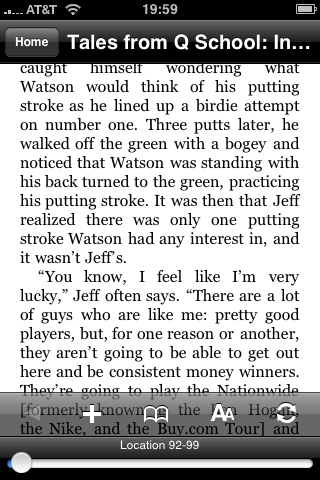
img_0003It was with some dubiousness that I downloaded the Kindle application. I already have 8 pages of apps, and I really only use a handful at any given moment. The application runs without a hitch, but I didn’t have any books. 

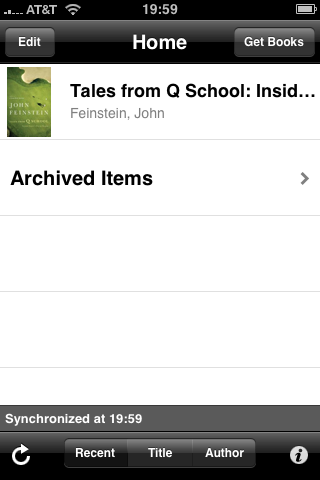
I scooted over to Amazon, to my account, and I purchased the excellent book, Tales from Q School: Inside Golf’s Fifth Major by John Feinstein. I bought it with a gift certificate (another story), and then nothing. I shrugged, and went about my business.

Later, I fired up the application, and lo and behold, the book was img_0004on the list! Tapping on it, a very readable rendering of the book came up. 

The font is resizable, and the application takes it in stride. I have used other reader software, and this can be a complicated process. 

Turning the page is merely sweeping the page to the right. I read half the book with no eye fatigue. It is fantastically easy to read on the Kindle App. This is remarkable.

My prior experience with ebooks has been the awkward transfer of ebook files -the downloading and the purchasing is always a drag. The ebook stores that I have perused have a limited number of books that I actually want to read. This is substantially not the case with the Kindle app. img_00051

The NY Times bestseller list, the deep catalog of recent books on Amazon, this is the scale that Amazon brings. 

Whisper Sync is the killer app of the whole deal. I bought the ebook online, and it shows up basically instantly on my index of books. This is not only cool, but going to make Kindle the leader in all of this.

This leaves Sony out in the cold again. They just don’t get the modern economy and haven’t evolved past the cassette walkman in terms of business models. 

The drawbacks are due to the screen technology. The Kindle draws power when a page is turned. The e-ink maintains its image without drawing further current. Reading a book on iPhone results in a significant battery drain -about half the battery for half the book or two hours of reading which is on par with video watching or gameplay. 

And finally, the application does exactly what its suppose to which is convinces me to go and get a Kindle 2!

The un-iPhone: A Review of Nokia N810 -an iPhone User’s View

img_2042

Moore’s Law, the observation that processor speeds double every few years, has hit the other principle, the law of dimishing returns. Once computers can reliably do the following, list below, any increase in processor speed or other tech spec is frivolous:

1. Connect to the web
2. Get and send email, photos, and video
3. Process text, spreadsheets, and presentations
4. Keep track of schedules and tasks
5. View documents, pictures, and video
6. Communicate by voice and video
7. Play music, movies and television
8. Play games
9. Blog

There is really no great need for the latest processors or gizmos once a device can do the above reliably. To make money, you have to innovate or you sell upgrades of broken software. This is why Apple has triumphed by creating a device that does all of the above with panache in a pocketable package. But in getting there it created compromises (12 things I hate about iPhone), which made me try out the N810.

It was after a great deal of research that I finally broke down and purchased the Nokia N810. I had been complaining about the iPhone and its deficiencies, and even with iPhone 3.0 which came out yesterday. Apple has been determinedly avoiding creating a competitor to its MacBook, iMac, and PowerMac’s. This means keeping everything aside from the making of simple emails, playing songs, and launching apps completely hidden.

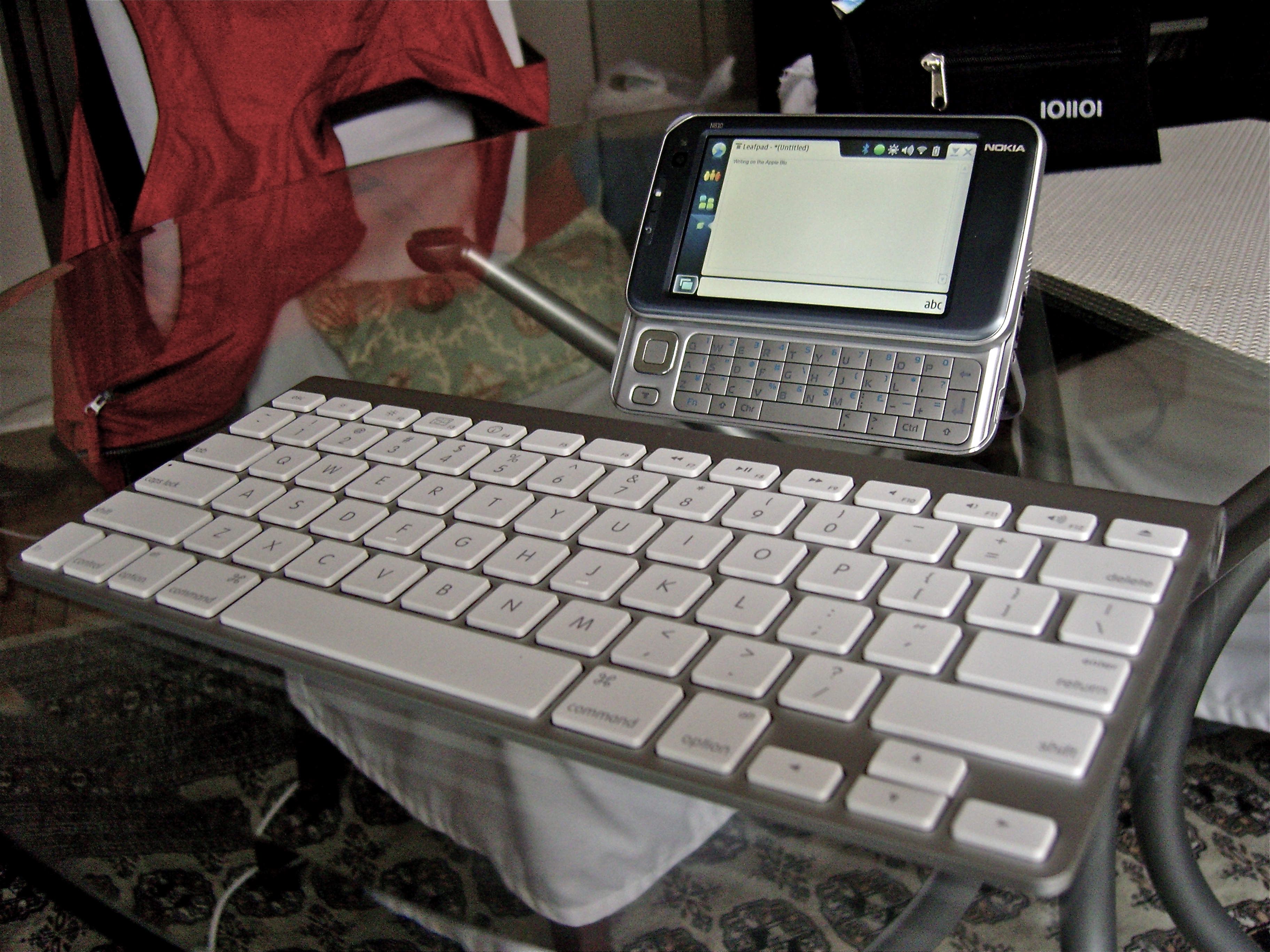
The N810 is an internet tablet which in many ways is the un-iPhone. It runs a flavor of Linux designed for ARM processors, and potentially the iPod Touch could run it. It has a physical keyboard. I wrote this review on it using LeafPad, an open source project available for free download. Nokia appears to have built the N810 for geeks, because I see no obvious business use. It only connects via wifi 802.11g, although they offer a Wimax version. But it has several things going for it that trump iPhone: the keyboard, bluetooth keyboard capability, and communications via Skype and Google.

First Impressions
The device out of the box is gorgeous. All brushed aluminum in grays and blues that are dressy and corporate. It has none of the tacky garishness of some of the Windows Mobile phones. The slideout keyboard works nicely and there are just enough buttons.I think iPhone doesn’t have enough -particularly a keyboard. There is a forward facing videocamera for chatting and a popout easel stand -perfect for using with a bluetooth keyboard.

Turning On
This is one dislike -the device requires a bootup but the device behaves like a smartphone in that it quickly spools into standby mode which the battery meter will tell you is good for almost a week. Bootup takes less than a minute. I would much prefer instant on. After some use, I realized that you aren’t meant to turn off the machine after bootup. It goes into a sleep mode and you can keep it in standby for days. A tap on the screen brings it back to life. With average use, I’m getting about 7 hours of battery life. This far exceeds the iPhone, which frankly is under-batteried for the ways that I was using it.

Software
The device needed to be upgraded to the current OS version which I had to do via a Windows computer. Not a big deal, and it enhanced stability.

It comes with a very capable web browser that renders full pages quite well. It has a dedicated zoom rocker switch that lets you adjust to comfort level. Also, there is a dedicated full screen button. It has Flash, which empowers this device for web 2.0. Unfortunately, it is an older Flash and some web sites, including Hulu won’t run, but Youtube and videoclips off NYTimes ran okay, if a bit choppy.

Multitasking is smooth and it has copy paste. Pressing the x cleanly ends the program, unlike Windows Mobile which has muddled way of dealing with multiple processes -namely it doesn’t and Windows Mobile devices get easily gummed up.

It works perfectly as a communicator -it notifies you of incoming text messages via skype, google, and aol and presumably msn via a number of programs. Unfortunately, skype’s client doesn’t have video chat yet.

Email is functional and straightforward. The client that comes with the N810 is spare and straightforward, but has a limited feature set. A more feature rich client, Claws Email is available for free download from Maemo.org.

The un-App Store – the Apps are open source and free. What isn’t available are PIM and Office software -I don’t think anything matches the utility of Documents to Go for the Palm OS. Everyone is waiting for someone to port OpenOffice, but I know it will run very slowly. There are some who have hacked Debian or Ubuntu Linux to run on this device but it slows down when programs meant for laptops and desktops run on what is a smartphone.

I have paired an Apple Bluetooth keyboard to it and it is now a very useful netbook replacement.

Media
It will play movies converted to mpegs or wmv’s. It comes with a one month trial of Rhapsody’s music library which is wonderful. I installed a Mini-SD card which had a few albums from my former Treo. With the iTune’s store offering DRM free MP3’s, getting music onto this device is not too cumbersome. The included headphones have a built in microphone for phone calls which work fine as well.

Rationale
Why did I get this when iPhone did most of the things I needed? It has to do with the things iPhone left out: Bluetooth keyboard, copy-paste, multitasking, and builtin-keyboard. I got the N810 through Amazon -not from the mothership but one of the vendors who had it for $250. With Apple Bluetooth keyboard which is very portable and stable, and usable with my other Apple gear, it is a worthy replacement for the Acer Aspire One which I recently sold to a friend.

Why? The netbook phenomena is a giant failure because it has been hijacked by Windows. With Windows XP, these small laptops are just that -small Windows XP laptops with slow processors. Coupled with Vista, these netbooks are completely useless. Microsoft intends on loading these netbooks with Windows 7 that has been downgraded to run only 3 applications.

Right now, I can compose on a very comfortable keyboard or a usable thumbboard in a pinch with a total cost of $325, with all the communcation capabilities brought by Nokia. Very happy. This entire blog entry has been created on the N810, by the way.

The netbook replacement in action

The netbook replacement in action

Rhapsody on the N810 is pretty cool because you have access to a large number of tracks and radio stations centered around bands. This rental of music scheme is okay, but I don’t think I’ll keep it. Pandora works! It’s slow, but it works fine. Streaming Sting radio, it comes through with FM quality with occasional very short skips probably related to the processor groaning while I type away.

The media player does a fine job with files loaded onto the internal storage. External storage is in the form of Mini-SD cards. I don’t particularly mind as I have all the adapters, but would have preferred regular SD. I don’t plan on watching movies with it, as the iPod is just too easy to use -iTunes to iPhone trumps ripping DVD’s to the correct aspect ratio, then copying to a mini-SD card -it was okay ten years ago to geek away, but in this day, streamlined delivery of content is a given.

I wish they would update the Flash, as Flash 9 doesn’t work on all sites, particularly Hulu. Also, Netflix is run off Silverlight -and I doubt they’ll release a Linux version anytime soon.

The picture shows the minikeyboard opened -this elevates the display perfectly. The easel stand is a wonderful touch. The Apple Bluetooth keyboard is the same chiclet keyboard found on the new Macbooks and is wonderful to type on. It would be great if iPhone would do the same, but we will never ever see this. They want you to buy a Macbook.

Addendum 3/23/2009
After using it as my netbook replacement for a week, I have been only delighted with it. I use the open source program WordPy to update this blog. Google Documents, though a big laggy when it comes to saving and opening, works just fine and is the office solution that this device didn’t come with. The great thing is that I am now typing on a great keyboard and extremely portable.

I have totally gotten into the internet radio, which for now eliminates my desire to pick up a short wave radio. Hundreds of stations from Hong Kong to Zambia, from Lichtenstein to Kuala Lumpur are available.

I also get much better phone calls out via Skype indoors at my hospital over the guest web connection than I do through the AT&T connection which goes through a repeater. I have to figure out how to get my contacts on the thing though -simply taking outlook contacts and trying to get the N810 to recognize them isn’t working.

Addendum 4/17/2009

After a month of use, I am pleased with the portability of the setup. I do find that certain things run slowly -some web pages take a while to load up where in iPhone Safari -it’s pretty blistering fast. Also, typing on some Web 2.0 pages causes strange stutters in the text. It is much easier to live with than the Acer Aspire One primarily because I didn’t need a small Windows XP laptop in my life. This the N810 does everything that iPhone doesn’t do at all very well. The overlapping functional items -mostly I leave to iPhone because I don’t have too much in the way of non-iTunes related media. The whole idea of using the Acer One as a large video iPod really failed because the video output was laggy compared to the sound.

The N810 is a device to fill in the gap between iPhone and a small laptop. It does this function very well.

Spaceward Ho! -the greatest game not yet on iPhone


space-logo

This is one of the greatest games ever created for the MAC. It came out in the early nineties, and it was one of those games that just ate up time. It is a resource management/conquering worlds game that was reduced to its barest essentials, but managed to keep certain elements intact to keep it interesting. 


It is such an efficiently written game that in the early ’00’s, the authors, Delta Tao (link) published a Palm OS version, which I used to play on my Tungsten T during my first years out of 

space1

training -usually during the dead time waiting for cases to go in the middle of the night. 


Resource management games are very old in the scifi-nerd culture. The problem is that when presented as a board game, an inordinate amount of time is taken up book-keeping. How many Quatloo’s can you keep track of while rolling the dice and moving imaginary fleets across the board? 


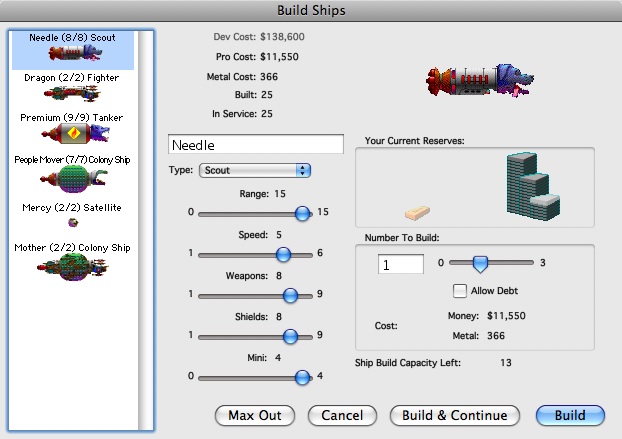
The game play is simple as clicking the keyboard. You start with a homeworld, and your mission is to explore and colonize surrounding worlds, mining the metal, and terraforming the planets so that your population grows on it and generates revenue. Terraforming, mining, designing and building ships takes money. Borrowing and saving also involves interest. space21


The game’s charms involve humorous graphics for the spaceships and funny sound effects for launching and exploring with the spaceships. The game quickly becomes interesting as you confront and battle against other players (both computer or human). 


It is turn based and requires a minimum of a learning curve. The shame of it is that Delta Tao has stopped developing it, right at the moment where farting applications are taking the world by storm. I can’t imagine it would take too much of an investment of time to convert it to an iPhone app. 

We can start by emailing Delta Tao to work on an iPhone version (help@deltatao.com). 

Addendum 2-24-2008

It works -Joe Williams -who the program icon is modeled after, replied “We’re talking about an iPhone version, and I’d say it’s highly likely, perhaps by the end of 2009.”

12 Things I Hate about iPhone

snc10194In no particular order, these are the things I hate about iPhone after using for 6 months. I have an iPhone 3G with unlimited maxed out data plan via AT&T. 

  1. Keyboard – The lack of a physical keyboard is particularly hazardous for me. The predictive logic is fine for normal people, but as a physician, shooting a quick email becomes an exercise in Gotcha when medical terms and abbreviations morph into correctly spelled but wrong words. I know this can be turned off, but this causes just as many headaches as leaving it on. Apple wants you to go to an Apple laptop for any heavy keyboard work. 
  2. Battery Life -If you use it only as a phone, it gets through a workday. But if you use it as a smartphone, it barely gets through the day. Forget about an extended day, which is typical for me. This means carrying an external battery, cables, and adapters. I will gladly take some bulk for super long battery life. 
  3. Lack of Memory Expansion -flash memory is now dirt cheap. You can get 16GB SDHC cards for less than twenty bucks. This is mind bending when you look at the micro-SD form factor. There is no reason for the iPhone not to have this except for the fact that Apple does not like hatches and holes and excessive buttons, and it wants you to upgrade when you tire of the lack of memory. 
  4. No Copy/Paste -the lack of copy/paste is a philosophical decision on Apple’s part to avoid programs from contaminating each other via the clipboard. Every program runs by itself and tidily goes off when you turn it off. This fish bowl approach to tasking ensures that no program acts in a malignant fashion either intentionally or unintentionally. It’s Apple’s way of saying, “It’s a phone! Buy a Macbook for the heavy lifting.”
  5. AT&T -Not completely happy with it, but I guess it’s a compromise. If you had to marry someone, but you lived in a village in the mountains in the Balkans and there were only three available women, four if you didn’t mind the one with no teeth, a glass eye, and a goiter, you make the best of it. AT&T is the oldest one of the bunch with large bosoms and behind to match. Sure you fooled around with the youngest one (Sprint), but everybody else did too -her biggest fault was inconsistency and broken promises. The middle sister (Verizon), the prettiest one, was also the most controlling. The way she smacked her other sisters around and barked order about how she wanted things done her way was not appealing. So you settle with AT&T. I find strange things happening with the new 3G network out here in the hinterlands. I’ll get 5 bars and a 3G symbol one moment with clear reception, and I turn my head and I get 1 bar with an E (for the slower data connection), and the phone call goes kaplooey. It happens in my car, in my house, in my office, outside with no obstruction whatsoever -and it is the Great Plains with no significant geographic barriers. But the oldest sister doesn’t care so much of your demands, understands if you fool around with the other two, and when drunk, take a roll with the toothless, one-eyed one with the goiter (T-Mobile)-after all -she’s got you now for at least five years from iPhone launch. 
  6. No Bluetooth Anything -Polaroid recently asked TUAW (link) to post a generalized request to open up iPhone’s bluetooth for its portable photoprinter which works with just about every cheap-ass phone out there except for iPhone. This is a beef I have particularly when combined with complaint number 1 -no Bluetooth keyboards, no stereo bluetooth headphones with microphones, no Bluetooth printing, nada. Zip. Just the earpieces that go missing after a few days.
  7. No Easy Way to Organize Your Screens -Apple happily lets you have as many screens as needed for the Apps you download, but organizing them is a disaster if you have more than one screenful of apps (I have seven). If you do factory reset or something like it, all the apps are jumbled. It would be great if you could do it on iTunes and save these configurations. Or if the home screen gave you a link to your productivity apps, your games, your casual games, your deep strategic games, your games to show off the iphone with, and your games that you play for hours on end. Also your photo apps and music creation apps. 
  8. No Passthrough Internet -this is more AT&T’s fault than Apple’s, but I blame both since they got hitched up. You can with some phones, hook up your cell phone to your laptop and use its wireless internet connection to browse from your laptop. I did it a couple of times with my older Windows Mobile smartphones but it was a dodgy affair involving turning on and turning off various things and digging through control panels and hoping for a connection. It would be so wonderful to just attach the iphone and get it’s 3G connection as a connectivity option with no toggling or hoping. AT&T wants you to buy a separate data modem plan. 
  9. No Video Recording -I know you can jailbreak to get this feature, but I don’t want to jailbreak. I want it now, no excuses.
  10. Contacts choked -I have over 2000 contacts and also more via my Exchange connection to my office’s directory. This makes looking up contacts a frustrating affair as I wait often an interminable amount of time to look up a phone number. Absolutely unacceptable. Also, search is dumbfoundingly linear -you have to type the contact in the order that it was input. Sometimes, if I can’t remember a last name, I’m SOL. 
  11. No wordprocessing, no spreadsheet, no Filemaker database access -this is so basic, and so missing, but also related to all of the above -no keyboard, no multitasking, no copy/paste.
  12. No Flash, No WMV, no non-Apple media formats, No Java -this is cumbersome at best, and criminal at worst. I just don’t get it. Very few people use Quicktime anymore. I get the feeling that with Flash -Apple loses some control over the apps and games. 

This still doesn’t drive me away from iPhone because it really is the best smartphone experience. But I am not married to it, and will runoff with the next gadget that does fulfill my needs. And I got needs.

The netbook

img_1453

Acer One netbook

The netbook, the smart phone, and the future of personal computing


The netbook is a new category of laptop computer that is really a refreshing of an old category. Starting with the ASUS eeePC introduced in 2007, several major laptop manufacturers have joined the fray, and the category has exploded. The current set of netbooks are a re-entry into what is a very old category centered around mobility. What the current set includes is connectivity. 

The first ultraportable of note was the Radioshack TRS-80 Model 100.

Radio Shack TRS 80 Model 100

Radio Shack TRS 80 Model 100

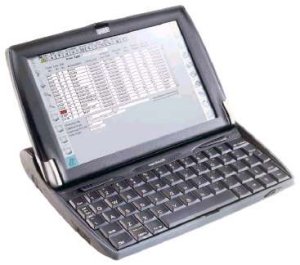
It was portable and had a full keyboard. It featured a wordprocessor and Microsoft Basic. The Atari Portfolio and the HP95LX brought computing into the coat pocket, and the culmination of this was the Psion Series 5 which was tiny but touch typable. I used it to write my consult notes during residency and maintained a database of frequent fliers. The hospital had HP printers with infrared ports allowing me to print out my notes wirelessly. 


Atari Portfolio

Atari Portfolio

Psion went on to create the Psion netbook and holds copyright over the name. It is a shame that they gave up the personal computer business after developing the most stable portable operating system (EPOC) and software set ever created. For example, their spreadsheet program, part of an Office compatible suite, took up 22k of memory. My Psion could run over twenty programs concurrently without crashing. EPOC became Symbian which powers Nokia and Sony-Ericksson phones. Having given up the business, they are now chasing the netbook ghost by filing cease and desist letters to websites and businesses that use the word netbook.

HP 200LX

HP 200LX


I used to own a Psion netbook and it was fantastic to type on with incredible keyboard feel. It was fast, and had instant on -booting up was instantaneous like a cell phone, not like a computer with the minute of bootup time typical for a Windows computer. The EPOC office suite was integrated and allowed cutting and pasting of graphs into documents that would update with changes in the data -this was rock stable and again, took up only a few hundred kilobytes (not megabytes) of memory.

Psion Series 5

Psion Series 5

With AA batteries, the Series 5 would run up to 40 hours. The netbook had a PC card slot for a WiFi card giving it wireless internet back in 1999.


I believe Microsoft killed the portable computer industry for about ten years with their Windows CE operating system. Microsoft powered clamshell computers were popular for a while but were difficult to use and crashed frequently. I owned a fairly advanced PocketPC clamshell, the NEC 790, but was frustrated by its instability, it’s tendency to freeze and crash, and worst of all lose data, but the full keyboard and instant on capability were enough of a plus to keep me interested for a while. 


The salient features of portability, keyboard for human hands, instant on, long battery life, full resolution landscape screen, and wireless internet with full capability -Flash, Quicktime, WMV and other multimedia features, are the killer features of the modern netbook. None of the currently available netbooks (Acer, HP, Dell, MSI, ASUS, and now Sony) fit the bill.

NEC Mobilpro 790

NEC Mobilpro 790


Psion netbook - the original

Psion netbook - the original


All are based on the Intel Atom processor. This is a low voltage processor that integrates graphics which translates into slow -how slow? About a hair faster than Centrino Mobile (laptops circa 2005) when running Windows XP. It definitely won’t be lighting up the specs compared to dual core laptops, but it is “good enough,” especially compared to how we used to access the internet via dialup. 

Most of the netbooks come with Windows XP. The whole netbook category along with resistence to upgrading from the coporate side has kept Windows XP alive despite the presence of Vista. A few of the netbooks are presented with a scaled down version of Vista. Having stayed away from Vista like the plague, I can’t say first hand if it’s good or bad, but the word from people using the first generation HP netbooks which ran Vista on the slower VIA processor is that it is slow. This goes against the concept of a fast-boot, efficient, fast running machine. 


Apple Newton eMate 300

Apple Newton eMate 300

Linux was offered on the first generation of netbooks, but as they became popular, Microsoft made Windows XP licenses available for these netbooks, essentially killing off Linux on netbooks. This is unfortunate, because Linux starts up quicker and runs more efficiently on netbooks. OpenOffice, an office suite that is available for free, runs very well on Linux. The only downside is there is no iTunes for Linux, but the bulk of the needs are met through open source and usually free software. The great thing about Linux is that the computer are customizing the operating system for their product. The new HP Mini 1000 just presented at CES with a highly customized interface. We are all use to this with the Macintosh, but also with cell phones. In fact, this is a bit of a return to the days of yore, when computer makers created the box and the software. 


What does this mean? The netbook is in evolution. It is somewhere between a laptop and a smartphone. The laptop offers the larger screen, USB ports, and a keyboard. The smartphone offers instant on, extreme portability, omnipresent connectivity, long battery life, and great integration between software and hardware. The netbook is slowly moving toward this end, becoming less a commodity, and more a finely honed tool. 


HP MiniNote 2133

HP MiniNote 2133

Do I recommend a netbook? Depends. They are easier to carry than a laptop and offer the ability to work anywhere. My Acer One netbook cost less than $400, and has a battery life of over 6 hours, has a 160gB hard drive, and has Wifi. It runs Windows XP which has its faults, but it runs iTunes, turning my netbook into a large screen iPod where I can watch movies and TV shows. With Skype, I can have video chats with family and friends wherever WiFi is available. What is really neat is cloud computing being embraced by Google, Apple, and others. It moves the work onto the browser, and makes it platform agnostic. The problem is the current generation of netbooks are still just small, slightly slower Windows laptops. 


The future is the next generation of netbooks which will feature more solid state memory, customized Linux operating systems, and 3G or WiMax high speed internet that is integrated. The solid state memory or SSD (solid state disks) have no moving parts, are fast, and more energy efficient getting you closer to instant on. The customized operating system means that your hardware is more tightly integrated with the software, much like a cellphone. The 3G or WiMax type high speed internet means you can go anywhere untethered from a WiFi network. You can buy netbooks that feature 20Gb SSD’s (solid state disks) with Linux, but these basically disappeared after some muscling in by Microsoft. Windows 7 promises a smaller footprint to be able to run on netbook-like gear, but it completely misses the point. You don’t buy a car from BMW and run it on an engine from GM. You want the software to run seamlessly with the hardware, and this is much more difficult under Windows.

Apple is still digesting this arena. The Newton eMate 300 was an effort by Apple to create an instant on clamshell laptop, but was quickly killed by Steve Jobs upon his return along with the Newton OS and the great Newton 2100. MacBook Air has some netbook features, but fails in it basic concept as another, albeit beautiful, laptop. Ideally, iPhone/iPod Touch would be the platform for it’s netbook, but I don’t see it going that way because of Steve Job’s aversion to buttons. No, this category will be populated by manufacturers looking to capitalize on Apple’s deafness and blindness to this category. BTW, this blog entry was written entirely on my netbook running OpenOffice and uploaded via the Google Chrome browser.