Lady Gaga is …Meadow Soprano!

I watched network television for the first time in years on Grammy night. In the lead up to the show, I caught the Anderson Cooper interview of Lady Gaga. I have been a big fan since her first album, and have always thought that her music was the thinking man’s pop music. Cooper notes in his interview that Gaga never looks the same twice, and it is true. Watching her music videos, not only her costumes change but her look changes, many times in the same video.

Gaga complained in the interview that photographers are always asking for her to show her real self. Without any irony, she points out she is sitting in lingerie with just eyeliner on for Cooper, and even here, it’s hard to see what she really looks like. She has perfected the mask of fame. What we really yearn for is a kind of candid Gaga photo of her sitting in a pink polo shirt and Bermudas drinking a gin and tonic with just some
minimal eye liner, natural lighting – something to connect her to our mundane self. She understands this and studiously avoids ever assuming she is off camera.

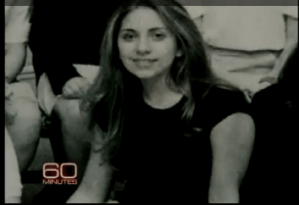
So we have to go to the source. Youtube only hints at her underlying self, and what comes out is a basically attractive young Italian-American woman (right) who went to private Catholic school and NYU.It is very hard to link this picture with the mostly nude pop superstar being interviewed by Cooper, but then a light went off.

In this season of golf senescence, I had taken to watching the whole of The Sopranos from Netflix, and the truth came to me. Gaga is Meadow Soprano (Jamie-Lynn Sigler, to left).  The face, the complexion, the eyes, all line up. It’s as if Meadow, instead of pursuing law, decided to go into performance art. Even more surprisingly, the internet rumor is that a young Stephanie Germanotta is has a cameo appearance as a high school girl watching Anthony, Jr., swimming in the 3rd Season episode, The Telltale Moozadell. 

Gaga takes these underlying bones and transforms herself with not only her masquerade and costume parade, but had some transformational moment where she decided she would no longer be just Stephanie Germanotta, NYU coed with a lot of fallback plans.

That was the question Cooper failed to ask.


Addendum:

I was watching the episode and found her -she is indeed in the scene as one of the girls on the bleacher smoking cigarettes and eating pizza while Anthony Jr., and a bunch of boys vandalize the school pool.

She enters the scene and it’s hard to tell if it really is Stephanie Germanotta, but as the camera pans away from her, you see Gaga revealed. 



Windows 7 on Macbook Air: Finally A Windows PC that I Like

From Evernote:

Windows 7 on Macbook Air: Finally A Windows PC that I Like

This grainy photo above shows my shiny new Macbook Air running (GASP) Windows 7. While this feature has been available via a utility called Boot Camp, I had always run Windows XP in virtualization, first in Parallels, and currently in the open-source (free) Virtualbox. That said, I wanted a faster option, particularly to see if this set up would run 3D CT analysis software well. My current home workstation, a Dell desktop replacement laptop, slows to a crawl when I run this software, but something told me it may run better with the flashdrive enabled Macbook Air.

Buying a shrinkwrap Windows 7 was not fun -an initial trip to Best (not) Buy revealed that they were happy to sell you an empty box, but after they took your money realized the whole store was empty of actual Windows 7 disks. I therefore went to Amazon and was happy to find Windows 7 Ultimate for 40 dollars off the Microsoft price. It arrived two days later and away I went…

To the Apple Store to buy a Superdrive. I tried various ways of creating a bootable USB flash disk, but after several hours, decided to take the plunge and purchase the MacBook Air Superdrive. The Boot Camp setup was a little annoying -you had to download Boot Camp drivers and burn a CD to load onto your Windows drive. You then had to partition the hard drive -I initially set aside 25 Gb but now find that I am running out of space as I load up with necesary software.

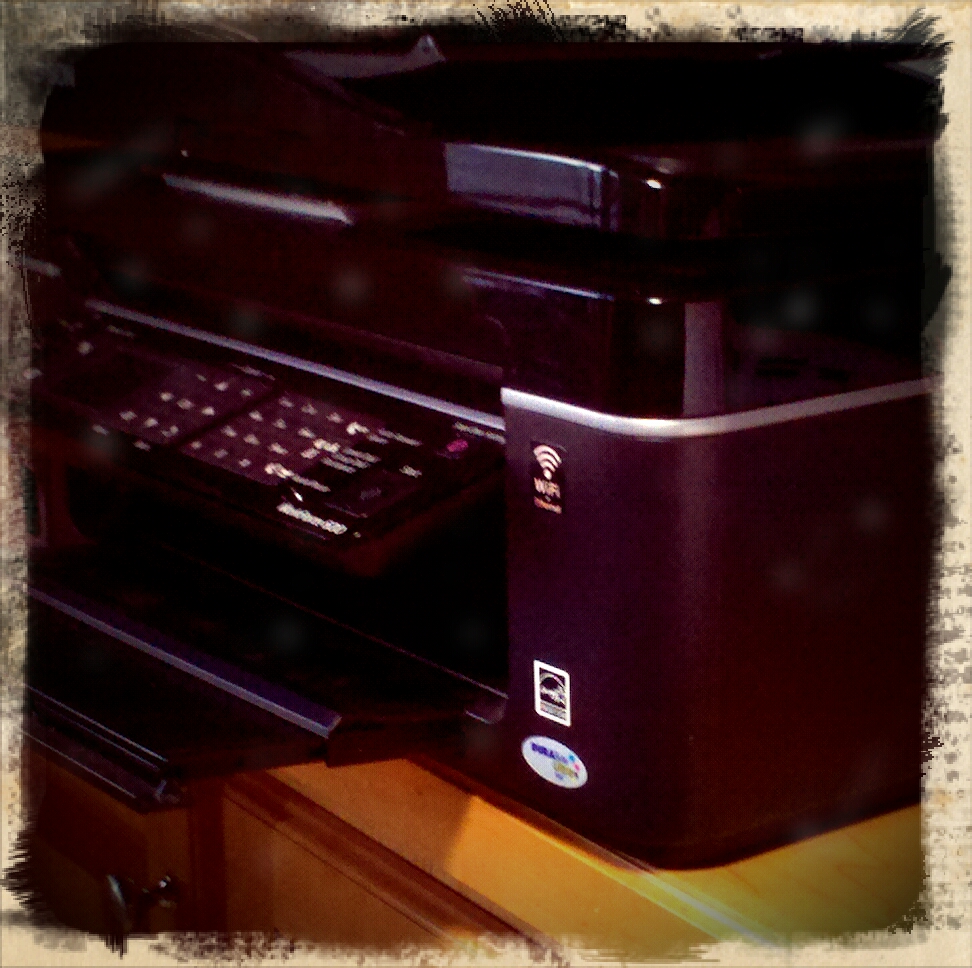
After a few days of fiddling, and running it in Windows, I have to say I am surprisingly pleased. Windows 7 is as beautiful as Windows XP is mofugly. It anticipates your needs and just works -for example, drivers for my network printer were automatically downloaded upon adding it to the printer list. This sort of ease of use used to be associated with Mac OS only, but Microsoft has finally bit the bullet and realized that the “for business” label was just an excuse for keeping things arcane and difficult. Getting XP to recognize a network printer is a Sisyphusian task. Windows 7 does it with elan.

Strangely enough, I am enjoying working on Windows 7. Sure -the fonts aren’t as good looking, but the OS is polished and refined. Frankly, I love it. The 3D CT software runs as well from my home as it does in the office on its server (a Dell Xeon PC which is monstrously huge). I am loading Office on it. During the late ’00’s, Microsoft seems to have gotten the message that their software was preferred by geeks, but generally despised by an increasing number of people. What always kept be away from Windows 7 was the terrible hardware available -I had miserable experience with Sony and Dell, and am dubious of any of the large PC makers. Boot Camp and Macbook Air changes all that.

Oh, the virus thing -Microsoft now offers a free download called Microsoft Security Essentials which does a decent job of policing the computer. Kudos to Microsoft and here’s to hoping much luck and fortune to that other iconic American company.

For Business

From Evernote:

For Business

This is an excuse given by anti-Apple types who like to say their device is “for business.” It means their way of doing things is for adults. It’s meant to justify complexity and difficulty and excuse monumental blandness.

It originates from the time the first Macintoshes came out with windows and mouse interface, and IBM was DOS only. The idea promulgated at that time was that the command line based computers with their arcane keyboard functions were for the adults, “for business,” while the easier to learn and master Macs were for non-adults, ie the kids. This basic lie has been perpetuated despite the fact that just about every user-interface and design innovation by Apple has been co-opted by the “business” computing industry, starting with Windows 3.1.

That is why I roll my eyes when RIM says their new Playbook tablet is “ready for business,” when many businesses are in the process of adopting iPhones and iPads. When I speak to the medical device sales people, all of them have been begging their IT departments, usually full of people whose lives are invested in this business vs kids divide. Most IT shops are still fixed on managing Windows XP -I suspect because of the costs of upgrading to Windows 7, but also job security involved with managing the bazillion issues surrounding these “business machines.”

I think there should be no such divide. Computers are so weaved into our lives that the devices should easily glide between work and play, like a mullet -business in the front, party in the back.

Addendum: Deutsche Bank shifted its corporate phone from Blackberry to iPhone (link)

I Choose Not to Print

From Evernote:

I Choose Not to Print

The iPad just had printing added with a great deal of restrictions, but there are apps in the App store that will allow for printing on any Wifi enabled printer. After mulling the purchase of one of these apps, I chose not to print it. Printing costs money and resources, and fact is, why print when you can send a PDF or a document? Printing is so 20th century. It is a capitulation to neo-Luddites, and it is with the same intent that Apple basically suggests you don’t waste paper and toner by putting in some road blocks to printing.

Opera Mobile 10.1 Beta on the persistent Nokia n810 tablet

I know it is strange to be reviewing software put out for a tablet computer made in 2007, but the Nokia n810 is an amazing bit of kit that has an incredible degree of stickiness. I had no trouble getting rid of previous gadgets on eBay including my precious Psion series 5mx and netbook (the original), when obsolescence greeted them. The n810 is clad in brush aluminum and has the build qualities one associates with Apple. It runs a tiny variant of Linux, and if you don’t mind taxing your eyes, there are ways of running full blown X11 applications on it just like you can on your Mac.

As I was toying with the idea of parting with this, I did two things. I plugged it into a speakers to play the BBC World service, and got a wonderful earful of the Queen’s English. A moment later, Radio Free Asia Korea is streaming in clear 96kb. The other thing was I discovered Opera Mobile 10.1 in the free app store where open source applications seem to pop up despite the apparent obsolescence of the platform. It is a wonder -it’s touch optimized and allows browsing the full web, but the mobile web is where it sings. The mobile sites of Gizmodo, NYTimes, and others just pop on this browser. The icons are all fat, allowing for finger navigation despite the resistive screen. Scrolling has an iOS Safari like inertia and in full screen, the browser turns the 4 year old tablet into a modern window on the web.

It speaks to this one thing in our disposable lifestyles -with appropriate care and the right software, there is no reason why technology has to be abandoned every two years. If done right, even the 4 year old technology can sing. Apple understands this ultimately adds value to your line when people can count on being able to use their device beyond its shelf life -that is why my iPod Touch 2nd generation can still run most of the games and apps that show up on the App store. Before you toss that plastic Dell laptop in the dustbin of history, try loading Ubuntu Linux on it or Chrome OS when it’s available again (and it will be).

The tech companies that survive and thrive offer a perfect alignment of form, function, hardware, and software, but also have the market awareness to adapt their offerings to what people can actually use in a meaningful way in their lives, and in this aspect, the n810 is a failure because it’s really a geek hobbyists niche toy. It never played nice with Microsoft Exchange Server, and its screen is too small to comfortably read a full web page. Pinch to zoom is not possible with a resistive screen. It offers a front facing camera, but the video calling feature was never allowed to bear fruit. The Skype client is voice only, and the Gizmo app no longer allows new accounts since their acquisition by Google. Even so, the n810 is keeping its value because of the perfection of form and function. The n810 has taken on the status of a beloved shortwave radio and bespoke web reader. I even bought a new battery for it. Do you feel the same about that plastic Dell box from 2006?

The Best Chrome OS Computer is Yours

The recently released Google CR-48 computer caused a wave across the geek-o-sphere. If you signed up and were deemed worthy, you received a black laptop which looks like the black MacBook circa 2008 which run Google’s Chrome operating system (Chrome OS). The reaction is a litmus test of where you stand on computing and on Google’s Borg-like intrusion into everything we do.

The operating system doesn’t let you open files or rummage around the system folder, or make you do any kind of management at all. Booting up takes less than 20 seconds, and you get a browser window and that’s it.

The amazing thing is this: you can have all the advantages of Google’s Chrome OS without getting your hands on one of these CR-48’s (I’ve applied, but I’m not holding my breath). All you have to do is download Google’s Chrome browser. You then log into the browser with your gmail account and get to the Chrome app store. Once you do, you get access to all the Chrome OS apps that you would get on the CR-48. If you run the browser in full screen mode, I bet it is basically indistinguishable from the CR-48’s basic screen, but with all the usability of your own computer, whether it be running Mac OS, Linux, or Windows.

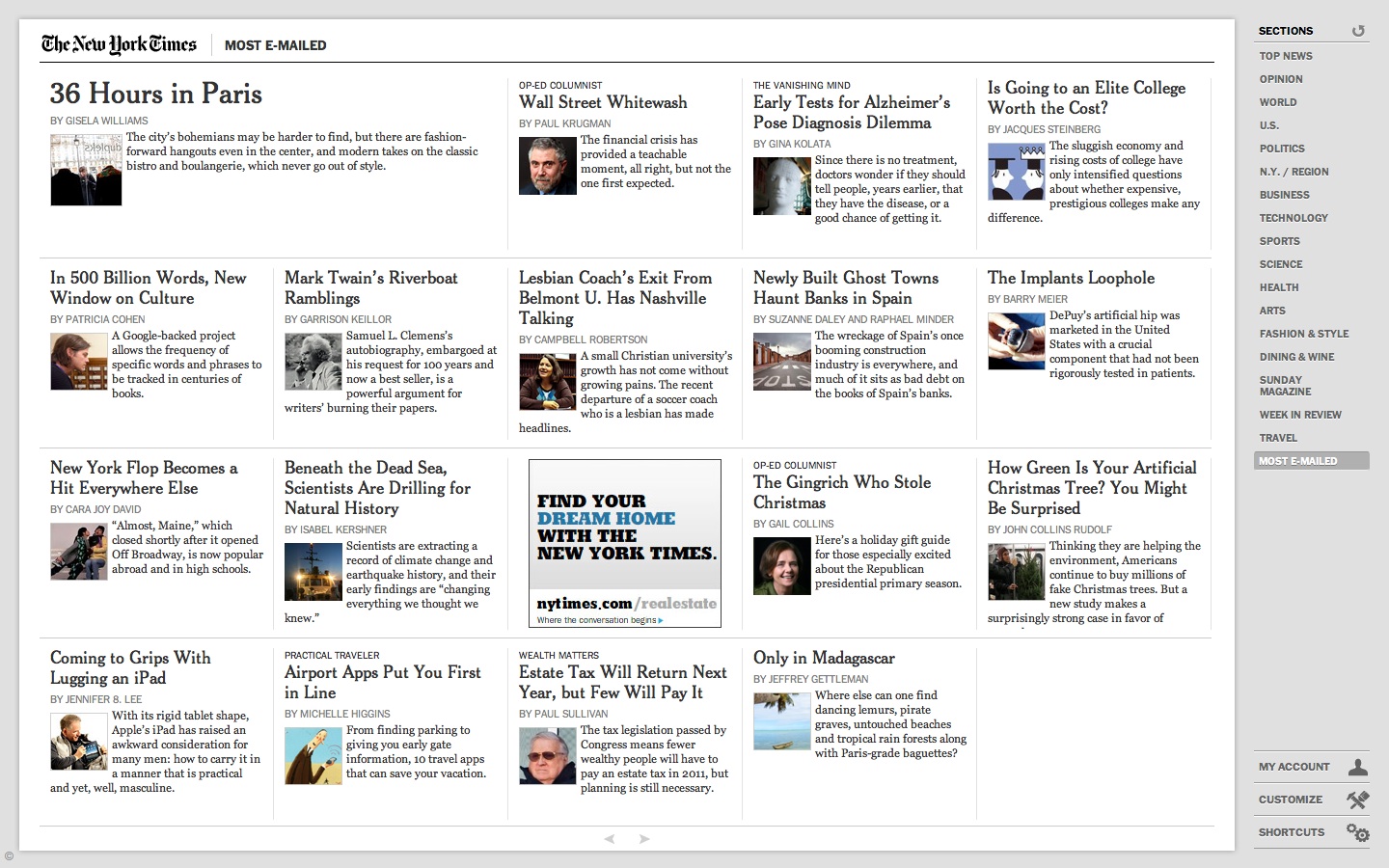
The screen shot from above is the NY Times app running full screen -it’s very nifty and fast and formats the Times in a way that is not iPad like but not entirely web-like either. I think the days of bringing up a web page on a browser is going to be considered antediluvian by todays generation, which is a shame because I remember when you could browse to any web site served up by anyone with the interest, but now you need an app to be legitimate.

Do I like it? Yes! Because I can access my data from anywhere, but the great line is faith and trust in the cloud. How secure is it and what is Google gaining from knowing even more about us. The great possibility for Chrome OS is this: you may in a year have several computer choices where using the computer comes first and maintaining it -maintaining the virus protection, the folders and files, and programs is a nonissue. This is a breakthrough for people who have to spend hours on the phone with older relatives whose Windows machines stop working and they can’t figure out what you mean by ControlAltDelete.

12 Gifts for the Surgeon to Get for Him/Herself.

  1. iPad. I can’t say enough about this device. It’s changed the way I approach technology. I use it every day to check email, to browse the web, and to write blog entries such as this. Using the Citrix app, I can access my practices EMR in large format glory. I can remotely attend meetings and watch the slides on the GoToMeeting app. I snuggle in the easy chair with my son and watch movies on rainy weekend days off via my Netflix app, and he uses it to play a bazillion games -none of which cost more then ten dollars., most for a buck which is a substantial savings over Nintendo DS games. I can keep up with my favorite tv show, The Walking Dead, downloaded weekly directly to the iPad. I can watch every Yankees game this season on my MLB app, live and in high definition. What really makes this device rock is Keynote –I use it to create a presentation of preop imaging studies, particularly the stunning 3D reconstruction of CTA imaging, and add intraop photography to it using the iPad Camera Connection Kit. The whole process takes a few minutes, but makes a patient family discussion incredibly effective. I feel that we are only scratching the surface of this category of device. I purchased a 64GB iPad with wifi only because of the next reason. (www.apple.com)
  2. Mobile Wifi. This comes in many different forms and is offered by most carriers. It can be purchased as USB stick for a computer –I don’t recommend this as it is the most limiting form of mobile Wifi. The mobile Wifi hotspot can be purchased as a small cigarette boxed sized item (in how many years will that description become obsolete?), and allows for up to 5 devices to be on the network. While this is nice, it requires a separate contract, and doesn’t make sense if you already have a data plan for a smartphone. Most Android phones allow Wifi tethering and this is the most compelling reason to get an Android phone despite its inferiority to the iPhone in most other ways. I have a Droid 2 on Verizon, and despite its failings as a smartphone, it is a wonderful Wifi hotspot, allowing me to use my Macbook Air, iPad, and iPod Touch 4g. I’ve even used Skype on my iPod Touch 4g to make international calls which were clear as a bell and cost only pennies per minute. How nice is it? Going to our rural clinics, the 2 hour drive is made productive and bearable with Wifi in the car (with my assistant driving, of course).
  3. MacBook Air 11 inch. While I do most of the my work on my 2 year old Macbook Pro 15 inch, I was frustrated by the limited battery life in that laptop. It is only good for about 3 hours, and I had to carry an extra battery. Several days ago, I hurt my back carrying the laptop bag on my shoulder, and I decided to take the plunge. While the Macbook Air 13 inch does have the longer battery life, it is very close to having a 15 inch laptop which I already have. I wanted something substantially smaller. The best analogy would be someone with a 5 Series BMW wanting a sporty 2 seater for occasional use –that person would not get another 3 Series sedan. The MacBook Air does not fail to satisfy. I have owned two prior netbooks in an attempt to go ultraportable and while the battery life was excellent (using lumpy extended batteries), they were slow and the keyboards were miserable, but what really drove me away from netbooks were their trackpads. I had an Acer Aspire One and more recently a Dell Mini 10V which I hackintoshed. Even with OS X running on the Dell netbook –and it ran very well, the trackpads on both machines left me feeling wretched after short usage. The MacBook Air does not have this problem with a full-sized keyboard and a giant trackpad that takes multitouch commands. I am writing this article on the Air, and I have a shit-eating grin on my face right now. Why the Air, and not the iPad. I do have a bluetooth keyboard for the iPad –I found an old Palm bluetooth keyboard that works very well and is even more portable than the Apple Bluetooth keyboard. While text entry is okay at the desk, and even better with the iPad keyboard dock, both bluetooth keyboard and even keyboard dock fail to connect with the iPad. While I haven’t tried since the iOS 4.2.1 update, I found this to be bothersome trying to type on the iPad, and feel better for coming back to a laptop. That said, the 11 inch air is weighs about the same as the iPad. Apple, despite its addition of a limited subset of iWork apps for iPad, does not see it as a content creation device, and I agree. Ergonomically, the laptop still has its use. Most notably, iWeb and other web management applications run exclusively on the laptop for now. Also, despite my dislike of Microsoft Office on Windows, I am very pleased with Office for the Mac, and Word for Mac 2011 is the first piece of Microsoft software to leave me happy in a long time. (www.apple.com)
  4. iPod Touch 4th Generation –This is basically the iPhone 4G without the phone part. Because the telephone elements are gone, what is left is an insanely slim and light iPod Touch with a back and front facing camera and FaceTime capabilities. While I haven’t explicitly tried it yet, Facetime has incredible potential as a telemedicine platform. In a hospital with fast Wifi, it’s a no-brainer. The iPod Touch is my mini-iPad. Even better, the GV Mobile + app lets me dial out via my Google Voice number which is forwarded to my cell phone. One thing about the Droid 2, the latest and greatest from Motorola –it freezes or slows down tremendously when you look up contacts. My iPod Touch acts as a dialer for my phone and through Google Voice, all my voicemails get transcribed as emails. The Line2 app is even greater –it turns my iPod Touch into a VoIP (voice over internet) phone. It’s an important function because in the bowels of most hospitals and in my basement, cell reception is nonexistent but wifi is present, and because my answering service calls to my Google Voice number, it forwards to my Line2 number and I can get important calls in dead cell zones as long as there is wifi. And being a iPod Touch, you get access to all the wonderful games and media apps. Did I mention Retina display and the A4 processor? The display on the iPod Touch 4th Generation is a modern marvel. 4 point font is perfectly discernible and there are not jaggies or fuzzies in the text. Movies pop on this screen, and it is my front pocket computer and my in the bed computer –my wife is less bothered by my reading from the iPod Touch than from my iPad. My only complaint about the iPod Touch 4th Generation is battery life. Multitasking, particularly having the Line 2 app on to take incoming phone calls, kills the battery in about 8-10 hours –but remember, it was not meant to be a cell phone. (www.apple.com)
  5. USB recharging batteries –These are largish lithium ion batteries equipped with USB ports specifically for the recharging of gadgets that recharge via USB cables. There are many varieties and flavors, but I recommend the largest you can get for the price –you will never regret it. I found an Energizer branded cell that will recharge my iPad and still have half the power left. It is great not having to plug in at the airport. I can recharge with both battery and gadget in the carryon. One company even had a battery that would recharge the Macbook via repurposed charger cables, but Apple got a cease and desist and these batteries are no longer available. The reason why they should be large large capacity is because the charging adapters for them tend to be bulky and I leave mine home.
  6. Laptop Bag –These vary from bulky bags that go to the maximum limits of carry-on-ability to to slender sleeves. I own a range of very functional bags that allow for just enough capacity while not being bulky. The best of them is the Brenthaven backpack (link) which allows for bulletproof protection while having more than enough compartments for a laptop, a second laptop, an iPad, a digital camera, an iPod, headphones, memory cards, a smartphone, a backup battery, the cables and chargers, pen and paper. The most stylish bag (my wife calls it the man purse) is a Kenneth Cole laptop bag in black leather. While the Brenthaven bag says, “GEEK,” the Kenneth Cole bag reeks of style (link).
  7. Watch –Watches are indispensible tools for a physician. First and foremost, the date and time are required elements of a doctor’s note. A watch with a second hand is indispensible for checking heart rate. And a surgeon has to look presentable in scrubs, and the watch is one of the few personalizing items that I think a surgeons should choose with some thought. The problem with premium watches and surgeons is that the surgeon has to take them off while scrubbing for an operation. There must be at any given time some combination of Rolexes, Tag Heuers, and Omegas in hospital laundries across the country. I have become a big fan of the great looking, highly functional, cheap watch. The two best are the Timex T45951 Expedition series alarm watch which is a big chronograph with a handsome leather band –other colors are available, but the cream faced one with tan leather band is only 50-65 dollars and cheaper on sale at Amazon. It has the Indiglo feature, and a nice beeping alarm that wakes me without waking my wife. It is comfortable enough to wear to bed. The other watch is the Casio MDV102-1AV Sea Analog Illuminator Dual LED Dive Watch. This is a beautiful watch that could be mistaken for a Rolex Submariner or the James Bond Omega. Even better, the LED on it is so bright, I use it as a flashlight. Cost? Currently $42 on Amazon.
  8. Pens –The surgeon can never have enough pens. The problem with expensive pens is exactly the same as expensive watches –they are waiting to be lost in the hospital tucked into a chart or left in the laundry. The best pens leave a permanent record in the chart and has blue or black ink. They have to be roller ball if carbon paper duplicates are still used in the hospital. My favorite? A box of UniBall Onyx pens in fine point. I used to prefer Micro, but found the Micro points to be less durable. The ink flows smoothly and authoritatively from these pens which I don’t mind losing. The other pens are personalized pens to give away. The federal rules do not allow for drug companies to give away pens, but there is no such impediment to physicians giving away pens. There are many companies on the internet that will personalize bulks of very nice and usable pens.
  9. Moleskine notebooks –These handsome faux leather (no moles in moleskine)notebooks are the original PDA’s. I keep one handy for a case-log and another as a personal journal and writer’s notebook. I like the 3.5×5.5 inch sized journal because it is large enough to write comfortably in but not so much that it won’t fit in my pockets. I preferred lined pages, but unlined is nice for those who like to sketch. (http://www.moleskines.com/)
  10. CME on disk –The problem with CME conferences is that it’s hard to get the CME’s on short notice and air travel makes it fairly miserable to hike across country to get the 30-50 annual CME hours required by most state boards. There are many CME products available, but my favorite are SESAP for general surgery (link) and the UCLA update on Vascular Surgery (link). Both are available as print material and handy MP3 and video MP4 files, allowing you to take them on your iPod or in your car. And that is where your CME time is well used. I frankly enjoy the 30 minutes listening in the car.
  11. Chestnuts –I grew up with chestnuts. They were a wintertime treat. Roasted, they were a savory and sweet snack that went well with the frigid wintertime air. In New York, that great melting pot, chestnuts would be served roasted on the streets from carts by older Italian gentleman, but now you hardly ever see them. It’s hard to find a good batch of chestnuts because they don’t travel well, being prone to fungus because of the high sugar content. I came across a batch of locally grown chestnuts and pounced on them because they were fresh. That said, you can get a jar of shelled and cooked (by steaming) chestnuts from France at Williams-Sonoma. It’s seasonal and once you open the jar, you have to refrigerate them, but they are delicious plain or in a stuffing –anywhere sweet potato would go in a dish, the chestnut does better. (link)
  12. Legals Seafood Fish Chowder –There is no better chowder than fish chowder and arguably, Legals of Boston has, if not the best, at least the most convenient. You can go on their website (link) and order a gallon or a quart, and you’ll get it shipped chilled and ready to heat up and eat. If you can’t consume it all at once, you can split freeze it, or split the package into smaller portions and freeze. A bowl of fish chowder on a winter day after playing out in the snow is something special. You can try making it yourself, but you won’t get the correct combination of fish and flavor that was featured in the Bush (pre) inaugural.