I Choose Not to Print

From Evernote:

I Choose Not to Print

The iPad just had printing added with a great deal of restrictions, but there are apps in the App store that will allow for printing on any Wifi enabled printer. After mulling the purchase of one of these apps, I chose not to print it. Printing costs money and resources, and fact is, why print when you can send a PDF or a document? Printing is so 20th century. It is a capitulation to neo-Luddites, and it is with the same intent that Apple basically suggests you don’t waste paper and toner by putting in some road blocks to printing.

Opera Mobile 10.1 Beta on the persistent Nokia n810 tablet

I know it is strange to be reviewing software put out for a tablet computer made in 2007, but the Nokia n810 is an amazing bit of kit that has an incredible degree of stickiness. I had no trouble getting rid of previous gadgets on eBay including my precious Psion series 5mx and netbook (the original), when obsolescence greeted them. The n810 is clad in brush aluminum and has the build qualities one associates with Apple. It runs a tiny variant of Linux, and if you don’t mind taxing your eyes, there are ways of running full blown X11 applications on it just like you can on your Mac.

As I was toying with the idea of parting with this, I did two things. I plugged it into a speakers to play the BBC World service, and got a wonderful earful of the Queen’s English. A moment later, Radio Free Asia Korea is streaming in clear 96kb. The other thing was I discovered Opera Mobile 10.1 in the free app store where open source applications seem to pop up despite the apparent obsolescence of the platform. It is a wonder -it’s touch optimized and allows browsing the full web, but the mobile web is where it sings. The mobile sites of Gizmodo, NYTimes, and others just pop on this browser. The icons are all fat, allowing for finger navigation despite the resistive screen. Scrolling has an iOS Safari like inertia and in full screen, the browser turns the 4 year old tablet into a modern window on the web.

It speaks to this one thing in our disposable lifestyles -with appropriate care and the right software, there is no reason why technology has to be abandoned every two years. If done right, even the 4 year old technology can sing. Apple understands this ultimately adds value to your line when people can count on being able to use their device beyond its shelf life -that is why my iPod Touch 2nd generation can still run most of the games and apps that show up on the App store. Before you toss that plastic Dell laptop in the dustbin of history, try loading Ubuntu Linux on it or Chrome OS when it’s available again (and it will be).

The tech companies that survive and thrive offer a perfect alignment of form, function, hardware, and software, but also have the market awareness to adapt their offerings to what people can actually use in a meaningful way in their lives, and in this aspect, the n810 is a failure because it’s really a geek hobbyists niche toy. It never played nice with Microsoft Exchange Server, and its screen is too small to comfortably read a full web page. Pinch to zoom is not possible with a resistive screen. It offers a front facing camera, but the video calling feature was never allowed to bear fruit. The Skype client is voice only, and the Gizmo app no longer allows new accounts since their acquisition by Google. Even so, the n810 is keeping its value because of the perfection of form and function. The n810 has taken on the status of a beloved shortwave radio and bespoke web reader. I even bought a new battery for it. Do you feel the same about that plastic Dell box from 2006?

The Best Chrome OS Computer is Yours

The recently released Google CR-48 computer caused a wave across the geek-o-sphere. If you signed up and were deemed worthy, you received a black laptop which looks like the black MacBook circa 2008 which run Google’s Chrome operating system (Chrome OS). The reaction is a litmus test of where you stand on computing and on Google’s Borg-like intrusion into everything we do.

The operating system doesn’t let you open files or rummage around the system folder, or make you do any kind of management at all. Booting up takes less than 20 seconds, and you get a browser window and that’s it.

The amazing thing is this: you can have all the advantages of Google’s Chrome OS without getting your hands on one of these CR-48’s (I’ve applied, but I’m not holding my breath). All you have to do is download Google’s Chrome browser. You then log into the browser with your gmail account and get to the Chrome app store. Once you do, you get access to all the Chrome OS apps that you would get on the CR-48. If you run the browser in full screen mode, I bet it is basically indistinguishable from the CR-48’s basic screen, but with all the usability of your own computer, whether it be running Mac OS, Linux, or Windows.

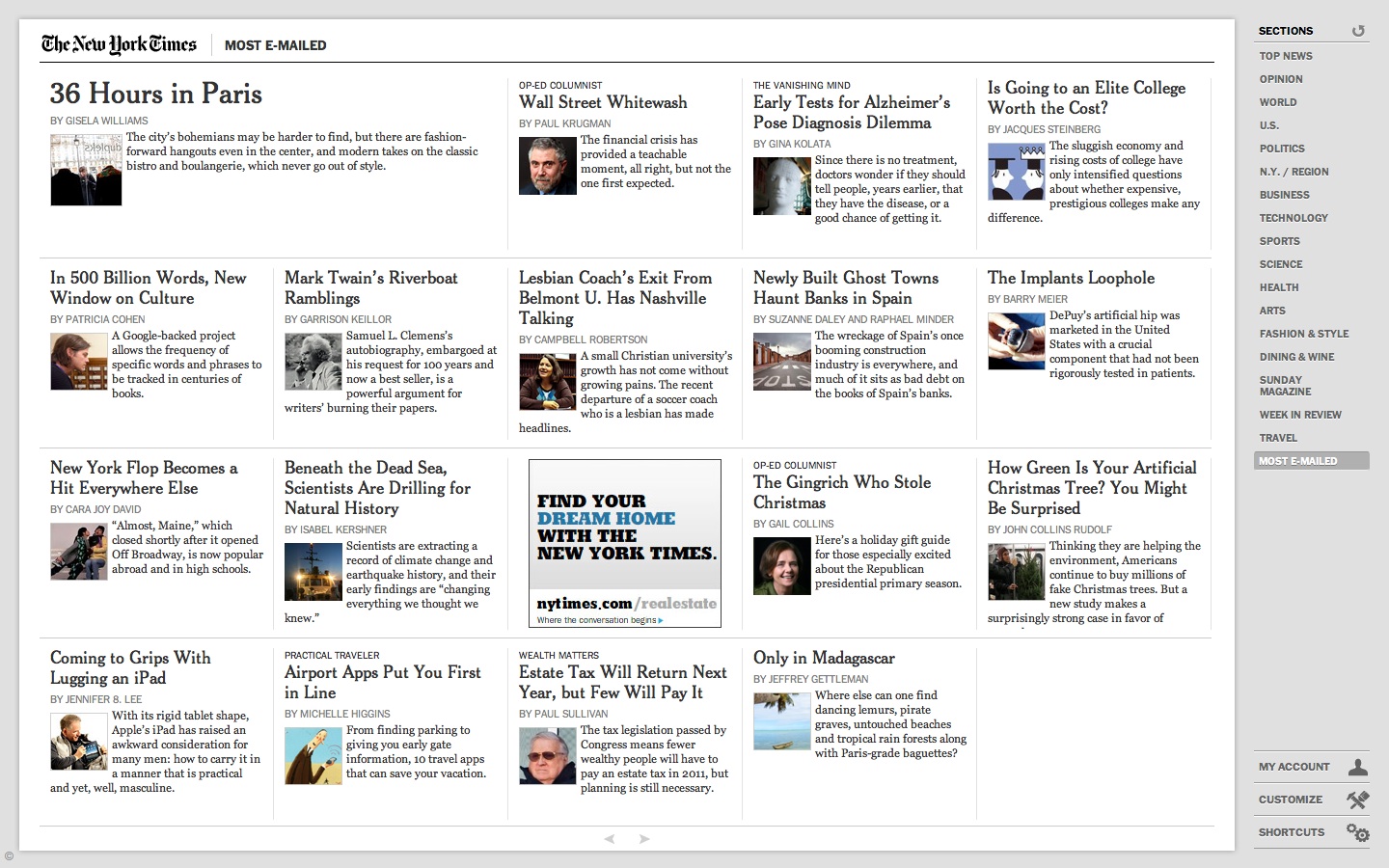
The screen shot from above is the NY Times app running full screen -it’s very nifty and fast and formats the Times in a way that is not iPad like but not entirely web-like either. I think the days of bringing up a web page on a browser is going to be considered antediluvian by todays generation, which is a shame because I remember when you could browse to any web site served up by anyone with the interest, but now you need an app to be legitimate.

Do I like it? Yes! Because I can access my data from anywhere, but the great line is faith and trust in the cloud. How secure is it and what is Google gaining from knowing even more about us. The great possibility for Chrome OS is this: you may in a year have several computer choices where using the computer comes first and maintaining it -maintaining the virus protection, the folders and files, and programs is a nonissue. This is a breakthrough for people who have to spend hours on the phone with older relatives whose Windows machines stop working and they can’t figure out what you mean by ControlAltDelete.

Microsoft Office 2011 for Mac -Outlook and Word

I have always wanted to directly access my Outlook schedule on my Macbook Pro, and found nothing that really satisfied except to go into Virtual Box, run Windows and launch Outlook. I purchased Office 2011 for Mac really just for the Outlook, but found to my disappointment, that it supports only Exchange Server 2007 or later. Our corporate server is Exchange Server 2003, and so I’ve had zero luck trying to get it to work.

I was on the cusp of returning the package to the Apple store when I launched Word just for the hell of it. Yes, there are some Microsoft related annoyances like the listed user on the splash screen is “Test User” rather than me, and I can’t figure out how to change that, but despite that, I have come to love Word 2011, even more than Pages.

I never really warmed to Pages despite its relatively straightforward and simplified scheme. It does create beautiful PDF documents and I think that that is how I will use Pages.

What I love about this Word is that it is Word, and for some reason, I don’t mind the business at the top -called the Ribbon. It’s remarkably easy to use.

My corporate experience with Word 2003 is not so great, but mostly tolerable, but 2011’s Word is just flat out wonderful. I haven’t even started using the cloud links. Fact is, I hated going to Google apps except to bang out snippets to paste into a later document. Same goes for using Pages on my iPad, which I have decided is not to be used with a keyboard unless absolutely necessary -the Bluetooth never really works and requires frequent re-linking, and even with the plug in keyboard stand (pictured partially under the Office 2011 box above), it never really works well.

Why is Word 2011 all of a sudden important to me?

First, my Macbook Pro is back. I basically stopped using it over the summer because of iPad, but I realize now that to make stuff,  you still need the power of a laptop. I toyed with the idea of getting a Macbook Air, but the primary thing that I wanted was just battery life, and I could get it with extra batteries. When the warranty runs out, I plan on swapping the hard drive out for Flash based SSD’s.
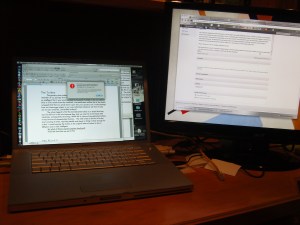
The Macbook Pro, despite being 2 years old, is still lightning fast and eminently sufficient for what I need to do. Docked here to a 23 inch monitor, it basically functions as an iMac, but mobile, it is wonderful to sit down in a comfortable chair and compose.

Second, writing well is very important to me and I have always chosen the finest papers and writing instruments when I write manually (and lose a lot of those fine writing instruments, which is why I favor multipacks of Uniball Onyx pens). Word 2011 is like a top of the line IBM Selectric or a Mont Blanc pen. With 2011, you are writing in style. The spell checking, the formatting, the grammar checking all works well and intuitively. For example, I chose the quotation format, and then later changed the font. It asks you subsequently when you make another quotation, if you want to use the modified format, but does so in a way that doesn’t infuriate you like past Microsoft efforts.

Third, compatibility is still an issue. Despite the fact that I find quitting desktop based software for the cloud easy and natural, most people don’t. There will necessarily be a five year time lag before it ever happens and it may never really happen as people don’t want Google or Facebook (cloud apps are next for them) to know everything about you. The funny thing is, the default file format is .docx which is not backwards compatible!

Fourth -there is no Clippy. In fact, there is very little Windows anything. It feels like Mac software, which OpenOffice and StarOffice, the free office suites, do not. Pages feels more like a page layout software than a word processor, while the iPad version’s fixed appearance just drives me crazy -call me shallow but I think the fake wood top margin drives me insane, and I have gravitated to Quickoffice on iPad for exactly that reason.
Why I’m not upgrading to iLife ’11

I am in general very happy with my Apple products, using it to be productive while enjoying my life through creating and presenting media rather than just being a consumer of it. Apple’s products easily lets you do many things that are difficult with the non-Apple alternatives. That said, I am underwhelmed by the latest update to iLife, in particular because the most useful program, iWeb, has not been updated.

I use iWeb to administer my professional blog: http://docparkblog.com

I had been hoping for new HTML 5 tools, and maybe even a way of creating HTML 5 applications for both Mac and iOS. Maybe that’s what they’re cooking and will present it at some later point. But for now, I’m very upset that iWeb was not included in this update.

While I like iWeb -it does not allow for updating the blog off my mobile devices. I have to sit down on my Macbook Pro, which is now mostly a desktop being tethered to hard drives and a second monitor, to do any work when in fact, I would love to be able to update it on the fly like I do this blog or my Medscape blog.

I guess they want me to buy a Macbook Air to do all of this, but would very much like an iOS option. Meh!

HDR photography on iPod Touch 4th Gen

When the iPod Touch 4th Generation was announced, it was disappointing to find out that the rear camera would be substantially lower in megapixels and quality than on iPhone 4, and would not feature HDR. HDR is high dynamic range photography. Your eyes are HDR, but a picture from a cameraphone is not because it takes pictures in a single exposure. Too long an exposure and all the dark areas have better detail with washout of lighter areas like the sky or light colored walls with patterns. Too short an exposure, and all the dark areas turn black, but details like clouds and cracks in white stucco come out. HDR is a way of combining elements of two or more pictures where the exposure is optimal for the particular region of the picture.

The result is a mix picture where all the elements in foreground, mid ground, and background get optimal exposure. The iPhone 4 has this mode of image taking -the only drawback is that because two pictures are taken, the camera must stay still. Alas, the iPod Touch did not come with this capability built in, but it wasn’t too soon before an App showed up in the App Store.

Pro HDR is the name of this app, and it’s great. The two images above were taken in the afternoon and the shots while not perfect, are good enough for the web. Pro HDR does a good job of stitching two images into one. At a &2.99, it is a great bargain.

RIM Tablet announcement the greatest Christmas present of all, for Apple

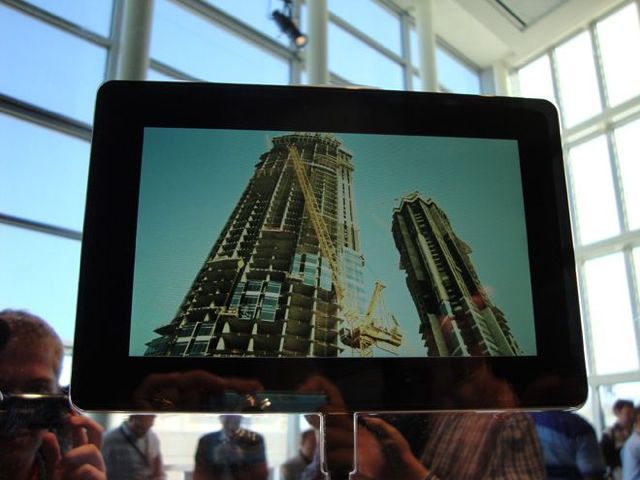
Research in Motion’s announcement of a seven inch screen tablet called Playbook caused a minor ruckus yesterday but it was a non-announcement that assures iPad dominance through the Christmas season. The tablet is touted as a dual core tablet that runs a multitasking Unix variant called QNx that is used in embedded systems like satellites and medical equipment. It will run Flash. It has a Wifi radio which may be tethered to a Blackberry or not. An App store? Of course.

The problem starts here: it won’t be available until the first quarter of 2011, missing Christmas. Also, no one was allowed to touch one of these devices. This makes it vaporware like every other would be iPad killer.

What it won’t have is battery life. It is about 30% smaller than an iPad and slightly thinner leaving less space for a battery. Add dual core processing and you hit the battery harder than a single core. Add a gig of RAM and multiprocessing which will be left up to the user and you get fifty, maybe one hundred different processes burning up processing time and the user will never know it unless they police it themselves. Add Flash and fuhgeddaboudit. You are looking at three maybe four hours of battery life tops with normal use.

It will also run hot. My Droid 2 which happily multitasks willy nilly used to get second degree burn hot before I figured out how to shut down Motoblur. With two processors and no fan, this may get hot enough to ignite the Lithium in the battery – a dangerous situation if you have it packed in the luggage between sweaters and it turns itself on.

It’s not easy to make an iPad. Apple had nearly four years of beta testing tablets with iPhone and iPod Touch. Adding features is done to preserve user experience which in a portable device is defined by screen, user interface, speed, and battery life. Expect Playbook to be a fail if they get anything less than a netbook’s battery life which on my Dell hackintosh runs 5 hours with the extended battery.

HTC Touch Pro 2 ruined by Windows Mobile 6.5

The days of this HTC Touch Pro 2 are nearing its end. It is a wonderful piece of hardware with a great screen and great fit and finish. The thing that kills it is Windows Mobile 6.5. It always needed a complete reboot every few days to clear its buffers, but lately, its been choking on simple smartphone activities like web browsing mobile versions of websites, checking email, and answering phone calls. Knowing Verizon support, their answer was to reload the OS and reset to factory settings. This is not tolerable.

Every Windows Mobile Phone I have had since 2005 has had this issue -its inability to stay stable beyond the first few weeks of use. This coupled with the lack of a decent app store (Verizon Apps! Handango!) all pointed to another phone. But rather than wait for iPhone on Verizon with this loser, I’ve chosen to move on and try Droid 2, which appears to be a decent upgrade. Droid X is still a month’s wait in line.

It raises serious questions for me: first, is HTC serious about making good stuff? Are they just commodotizing the category of smartphones by releasing a new phone every month, just to see what sells? I think so, and it is shoddy and wasteful.

Microsoft -where do I begin. I give them my money, and I can’t complain because they weren’t holding a gun to my head. I just get fooled into believing that maybe this time, they’ll have gotten the damn thing to work. I have no doubts that Windows Mobile 7 will sell briefly and will have its adherents in those who hate Apple and Google, but I am not holding my breath. They don’t understand how to put out good software that is mission critical -like running a space station or a heart lung bypass machine, none of which I would trust if they ran on Windows.

While we wait for AT&T to get better, we’re stuck with waiting for iPhone to show up on Verizon. Til then, I guess Droid 2 it is.

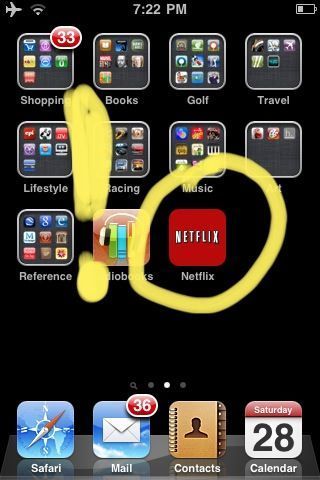
The new iPhone Netflix app end of TV

The iPad had the Netflix app first, and it was amazing, but expected on the iPad with its large gorgeous screen. The appearance of the Netlix app (and Hulu+ app) on my two year old iPhone 3G is worthy of comment. First, aside from iPhone, no other piece of portable technology has weathered aging as well. It is currently updated to iOS 4.0 which makes it slow, but the incredible thing about it now is I have access to thousands of movies and TV shows. It works best with a good Wifi connection, and makes cable or satellite TV irrelevant. The only time I watch broadcast TV is to watch live sports -and this usually on network TV over rabbit ears. I tried to cancel DirectTV a while back and they halved my bill after begging me to stay. Despite this, the writing is on the wall. TV is over. It’s dead. So are movies in theaters.