Seeitgolf- a review

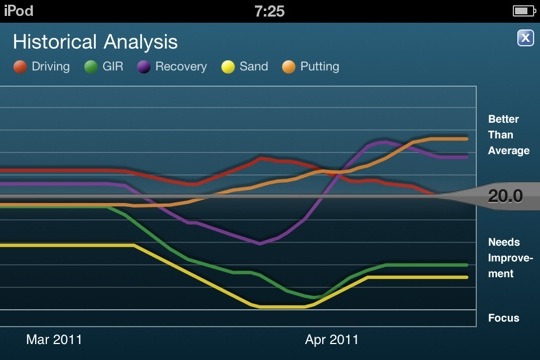
With the advent of Spring and the new golf season, I sat down to figure out the barriers to shooting in the 70’s. All the tools are there: swing, equipment, course, and golf stretching back to my early teens. The biggest impediment, I decided, was my short game and putting. The stats (from Golfshot GPS) don’t lie.

Hearing the ball drop into the cup brings on a Pavlovian reaction...

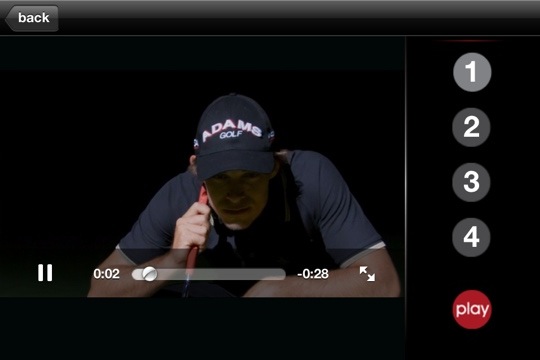
I came across Seeitgolf while downloading the Masters app. It seemed silly at first, watching what amounts to golf porn, with money shot after money shot, but if you put yourself into the correct frame of mind, the imagery and sound of success becomes ingrained.

My first foray after immersing myself in Seeitgolf was typical with usual mix of two and three putts but subsequently on the back nine, I went one under over the last six holes after double and triple bogey to start. I drained 35 footer with seven feet of break uphill for birdie and followed up with an assortment of crazy one and two putts. It seemed natural and I lost the dread of landing my approach off the green -chip on and drain that ten footer.

The app is not entirely intuitive as it seems to have been composed on Flash or some other machination designed to ease app composition. It behaves more like a web site at times.

That said, drilling your mind, which the app says cannot tell between the imagined and the real, has it’s benefits. I strongly recommend this app for people who understand the mental dimensions of the game and can sit through about a half hour of meditative focus.

Putting (in orange) has improved since downloading Seeitgolf App

The statistics from Golfshot app shows my putting performance to have improved into the above average zone (orange line above) since getting Seeitgolf around the time of the Masters. It really works. If they could only add the ability to turn the ball dropping in the hole sound to an alert sound for the iPhone…

Extreme Golf

I took tax day off and played a round during an ice storm. Good for building character, playing in inclement weather is useful in testing your game against many more variables than just the usual yardage, light wind, lie, elevation, incline, etc. Add to it slickness of grip, 35mph prevailing winds, stinging rain and sleet, and hypothermia and you have a sport -Extreme Golf.

Should I keep the balls in my icy drink?

20110410-151624.jpg

This was suppose to be a straightforward science project about temperature’s effect on bounce across different categories of balls. The surprise which shouldn’t be is that golf balls bounce more when frozen solid in a freezer for a week. Which leads me to ask, should I keep the balls in my drink and not my pocket?

Contest for Tiger Woods Memorabilia

disclaimer -I am in no way affiliated with Shotzoom, maker of Golfshot GPS or Golfplan, or their most recent app, Tiger Woods: My Swing. I pay for all of the products I review myself, and am planning to try out this app for a later review along with comparable apps on the store. That said, I thought it would be worthwhile to mention this contest for Tiger Woods memorabilia I received from Shotzoom’s PR folks:

In honor of the start of the Masters tomorrow and to commemorate its partnership with the Tiger Woods Foundation, Shotzoom is giving away one-of-a-kind Tiger Woods memorabilia. From now through April 12, Shotzoom, the leader in active lifestyle mobile applications including Tiger Woods: My Swing, is offering Golfshot community members the chance to win one of six prizes:

· Grand Prize: One winner will receive a 1997 Masters Flag signed by Tiger Woods

· Second Place: Three winners will receive game-worn golf gloves signed by Tiger Woods

· Third Place: Two winners will receive a game-worn golf hat signed by Tiger Woods

To enter, just register at http://golfshot.com/contests/tiger-woods/.
You increase your chances of winning by telling your friends about the new Tiger Woods: My Swing app for the iPhone.

Tiger Woods: My Swing, the first instructional app from Woods, lets golfers capture videos of their swing so they can analyze it, compare it with Woods and their friends, and see their swing improve over time. Woods serves as a virtual coach, teaching golfers how to use swing line analysis and providing tips on specific areas of improvement. Like all of Shotzoom’s golf apps, MySwing integrates with the Golfshot community, the world’s largest active golf community with more than half a million active members. The app is available on iTunes for $9.99, and proceeds from the app benefit the Tiger Woods Foundation.

Golfshot- Golf GPS and Golfplan -a belated review

20110327-023451.jpg

Wakonda #2 from the tee

20110327-023515.jpg

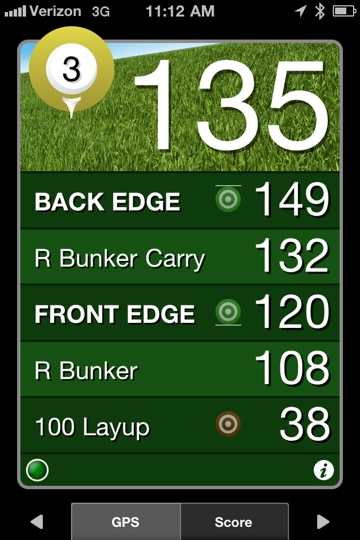
The distance from the tee to mid green with about 20 feet of elevation -an 8 iron

Several years ago, after I got my first iPhone, among the first and most useful programs was View Ti Golf, which I reviewed a while back. It was after several overly confusing updates and broken functionality, that I stopped using View Ti, and moved to Golfshot GPS.

While I had meant to review Golfshot GPS, I was too busy actually using it to put a good review together -I did comment on it a couple of years ago, but it is the addition of analytics and instruction from Paul Azinger via Golfplan that make this sing.

20110327-023535.jpg

20110327-023543.jpg

What they achieved is they’ve simplified the geekiest part of tracking statistics. The simplest method has always been keeping track of Fairways, GIR, Strokes from 150 yards, and Putts on a score card. Golfshot has made it even simpler by making the input of strokes, fairways, and putts, along with sand and penalty strokes mere flips of menu dials.

20110327-023554.jpg

You can use the program solely for getting distances on all the golf courses in the US (and supposedly the planet). This will cost you 29.99. There is a lite version for free which offers scoring and the analytics. To tell you the truth, the GPS is nice, but I try to set up my shots with sight and local knowledge -its the statistics which make it worth using this program.

All the data is stored in the cloud and so you can use this app on multiple devices even on a GPS-less ipod touch or Wifi-iPad. The program works very well on Android as well (though readers of this blog know my feelings about Android).

The scorecard shows the parts of the game that I have to concentrate on -GIR -meaning my mid irons to pitching wedge, and sand -avoiding them and getting out of them.

20110327-023605.jpg
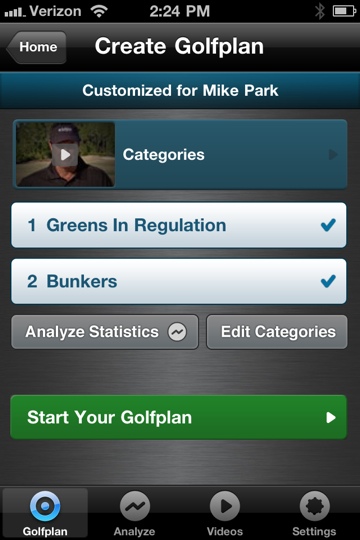
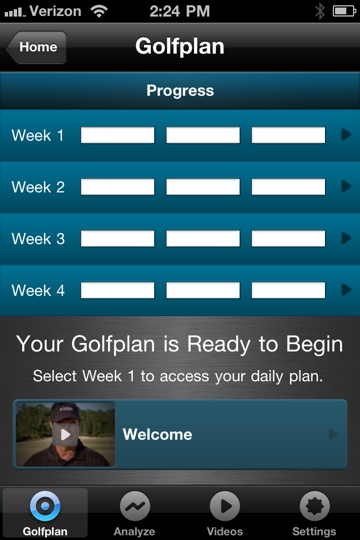
The complementary half of this is Golfplan which is currently at a promotional price of 0.99. Mr. Azinger is a great communicator and passes along in 1 to 2 minute videos perfectly executable knowledge to the average golfer. I think the best results can be had for the advanced beginner to 10 handicapper and this appears to be the target audience.

The stats are analyzed and a customized lesson plan is created for drills and instructions. Given the cost of private golf lessons, this is beyond cheap at just under a buck.
The problem with golf instruction is that most golfers take a band aid approach to lessons -thinking one or two lessons to straighten out the ball is enough.

20110327-023612.jpg

That’s like going to the doctor once to start treatment for a serious condition and then treating it yourself. Finding a good professional isn’t hard -every golf course has a PGA professional dedicated to improving play. It’s committing to a series of lessons over years that is tough -in terms of time and cash.
Gofshot GPS and Golfplan both get 4.5 stars on the App store which is basically a perfect score. I agree and outside of signing on with a golf instructor for a year’s worth of weekly lessons, this is the best thing since sliced cheese. I will update everyone on my progress.

Sent from my iPad

Operating on my Macbook Pro

Sent with Writer.
What to do with an out of warranty Macbook Pro

My Macbook Pro just ran out of its 3 year warranty. It has a dual core processor and runs well enough that it will be in use for many more years. I upgraded the ram to 4gB and despite its age, it runs the same processor as my current MacBook Air (MBA)-basically the same specs, only larger screen. Two things made it my home base computer rather than my portable machine.
The battery life is only 3 to 4 hours depending on the usage. Also, in 2007, the largest disk option was 160gB. On the MBA, the Flash memory based SSD imparts great speed and battery life because there are no moving parts. The only problem is that SSD’s still cost a lot of money -for a decent sized SSD of around 500gB, the cost runs over a thousand dollars. Knowing technology, that price will be half in a year and half still in two.

This means I need a stopgap. If I can keep the machine going another two years in useful condition, in two years, the laptop will in fact be faster still than it was when I bought it with better battery life.

That is where this bit of laptop surgery comes in. After shopping around on the internet, I came across this Western Digital laptop hard drive -500gB for $65! It arrived in a recyclable Amazon box. With instructions from the internet, I removed the screws from the laptop.

All the exterior screws on the Macbook Pro have a wax seal, and I suspect that something tips off the Apple techs when they open these cases that the warranty is voided. That is correct -opening the holy of holies will void your warranty. Too keep snoopers out, Apple has made it even more difficult to open their later uni-body laptops, starting with the screws which require proprietary screwdrivers -but even these are available on-line for the adventurous.

Installing the hard drive was fairly straightforward once the dissection was complete -just like in a real operation! I booted up using my Snow Leopard DVD and partitioned the drive into a 400gB section for the Mac and a 100gB section for Windows 7. I’ve become a huge fan of Windows 7, and running it on Apple Hardware is not only ironic, but really great. Using Time Machine (you have to back up to a plugged in hard drive before starting all of this), all of my documents, settings, and applications were restored.

This $65 dollar hard drive gives me enough space to live in for the next two years. It is also a 7200rpm drive, meaning it’s faster than the original stock 5400rpm drive. The drive that I removed I’ll hold onto for now. I will probably slip it into an enclosure and use it as a portable drive for movies and tunes, but with over 300gB of free space on the Mac segment, I’ll be fine for a while.

This is the reason why I prefer Apple hardware. The all aluminum case is still stylish and despite what they tell you, for word processing, internet surfing, movie watching, and photo processing -you don’t need a quad-core processor that will burn your lap. Not to knock PC’s but I have not had an HP, Dell, or a Sony last more than 3 years without dying or getting miserably slow. Plus, in 1-2 years, SSD’s will be cheap enough that there will be no question this machine will be around for many years.

Sent from my iPad

The Best Chrome OS Computer is Yours

The recently released Google CR-48 computer caused a wave across the geek-o-sphere. If you signed up and were deemed worthy, you received a black laptop which looks like the black MacBook circa 2008 which run Google’s Chrome operating system (Chrome OS). The reaction is a litmus test of where you stand on computing and on Google’s Borg-like intrusion into everything we do.

The operating system doesn’t let you open files or rummage around the system folder, or make you do any kind of management at all. Booting up takes less than 20 seconds, and you get a browser window and that’s it.

The amazing thing is this: you can have all the advantages of Google’s Chrome OS without getting your hands on one of these CR-48’s (I’ve applied, but I’m not holding my breath). All you have to do is download Google’s Chrome browser. You then log into the browser with your gmail account and get to the Chrome app store. Once you do, you get access to all the Chrome OS apps that you would get on the CR-48. If you run the browser in full screen mode, I bet it is basically indistinguishable from the CR-48’s basic screen, but with all the usability of your own computer, whether it be running Mac OS, Linux, or Windows.

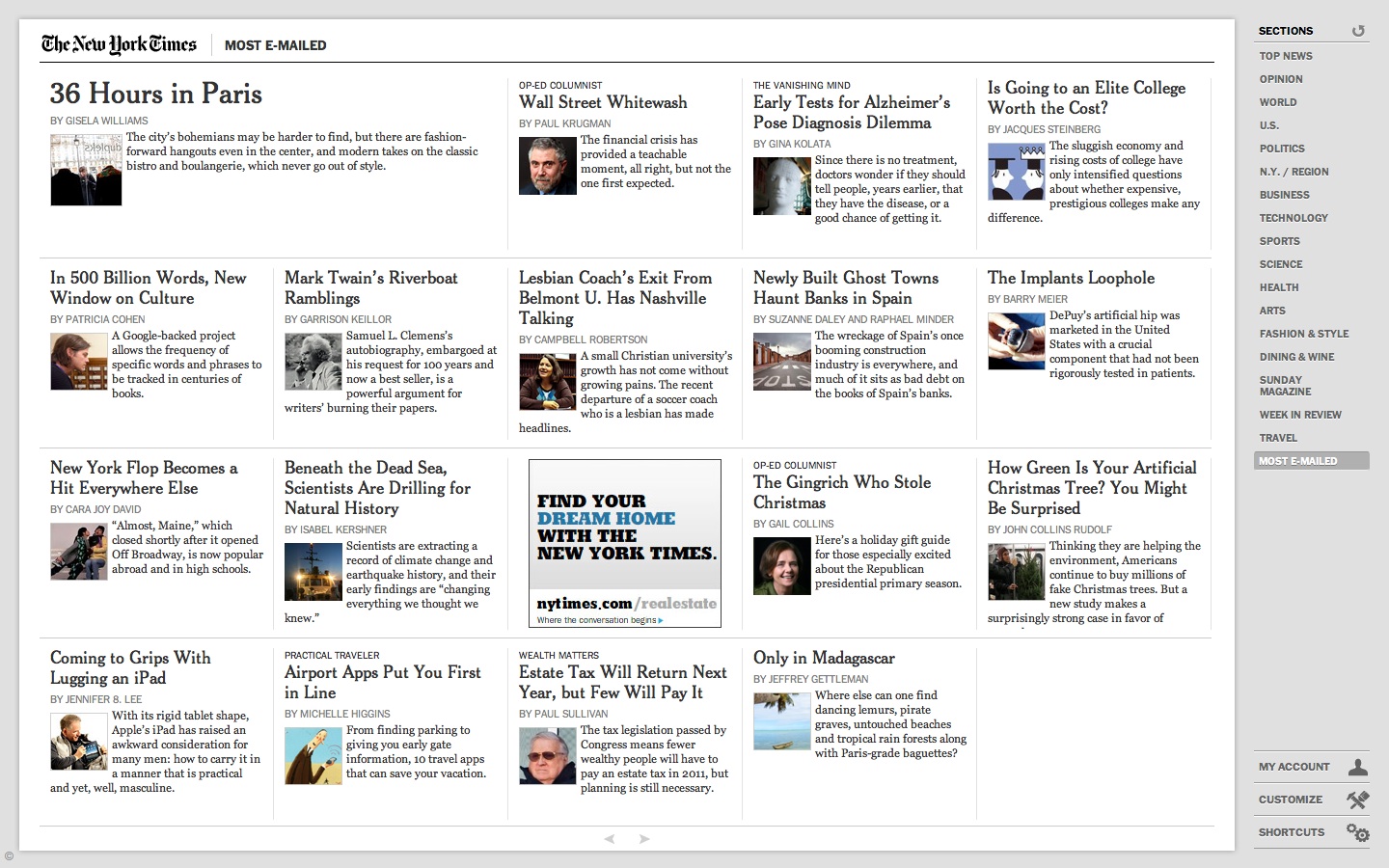
The screen shot from above is the NY Times app running full screen -it’s very nifty and fast and formats the Times in a way that is not iPad like but not entirely web-like either. I think the days of bringing up a web page on a browser is going to be considered antediluvian by todays generation, which is a shame because I remember when you could browse to any web site served up by anyone with the interest, but now you need an app to be legitimate.

Do I like it? Yes! Because I can access my data from anywhere, but the great line is faith and trust in the cloud. How secure is it and what is Google gaining from knowing even more about us. The great possibility for Chrome OS is this: you may in a year have several computer choices where using the computer comes first and maintaining it -maintaining the virus protection, the folders and files, and programs is a nonissue. This is a breakthrough for people who have to spend hours on the phone with older relatives whose Windows machines stop working and they can’t figure out what you mean by ControlAltDelete.

Microsoft Office 2011 for Mac -Outlook and Word

I have always wanted to directly access my Outlook schedule on my Macbook Pro, and found nothing that really satisfied except to go into Virtual Box, run Windows and launch Outlook. I purchased Office 2011 for Mac really just for the Outlook, but found to my disappointment, that it supports only Exchange Server 2007 or later. Our corporate server is Exchange Server 2003, and so I’ve had zero luck trying to get it to work.

I was on the cusp of returning the package to the Apple store when I launched Word just for the hell of it. Yes, there are some Microsoft related annoyances like the listed user on the splash screen is “Test User” rather than me, and I can’t figure out how to change that, but despite that, I have come to love Word 2011, even more than Pages.

I never really warmed to Pages despite its relatively straightforward and simplified scheme. It does create beautiful PDF documents and I think that that is how I will use Pages.

What I love about this Word is that it is Word, and for some reason, I don’t mind the business at the top -called the Ribbon. It’s remarkably easy to use.

My corporate experience with Word 2003 is not so great, but mostly tolerable, but 2011’s Word is just flat out wonderful. I haven’t even started using the cloud links. Fact is, I hated going to Google apps except to bang out snippets to paste into a later document. Same goes for using Pages on my iPad, which I have decided is not to be used with a keyboard unless absolutely necessary -the Bluetooth never really works and requires frequent re-linking, and even with the plug in keyboard stand (pictured partially under the Office 2011 box above), it never really works well.

Why is Word 2011 all of a sudden important to me?

First, my Macbook Pro is back. I basically stopped using it over the summer because of iPad, but I realize now that to make stuff,  you still need the power of a laptop. I toyed with the idea of getting a Macbook Air, but the primary thing that I wanted was just battery life, and I could get it with extra batteries. When the warranty runs out, I plan on swapping the hard drive out for Flash based SSD’s.
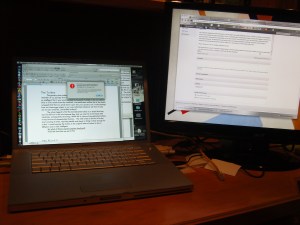
The Macbook Pro, despite being 2 years old, is still lightning fast and eminently sufficient for what I need to do. Docked here to a 23 inch monitor, it basically functions as an iMac, but mobile, it is wonderful to sit down in a comfortable chair and compose.

Second, writing well is very important to me and I have always chosen the finest papers and writing instruments when I write manually (and lose a lot of those fine writing instruments, which is why I favor multipacks of Uniball Onyx pens). Word 2011 is like a top of the line IBM Selectric or a Mont Blanc pen. With 2011, you are writing in style. The spell checking, the formatting, the grammar checking all works well and intuitively. For example, I chose the quotation format, and then later changed the font. It asks you subsequently when you make another quotation, if you want to use the modified format, but does so in a way that doesn’t infuriate you like past Microsoft efforts.

Third, compatibility is still an issue. Despite the fact that I find quitting desktop based software for the cloud easy and natural, most people don’t. There will necessarily be a five year time lag before it ever happens and it may never really happen as people don’t want Google or Facebook (cloud apps are next for them) to know everything about you. The funny thing is, the default file format is .docx which is not backwards compatible!

Fourth -there is no Clippy. In fact, there is very little Windows anything. It feels like Mac software, which OpenOffice and StarOffice, the free office suites, do not. Pages feels more like a page layout software than a word processor, while the iPad version’s fixed appearance just drives me crazy -call me shallow but I think the fake wood top margin drives me insane, and I have gravitated to Quickoffice on iPad for exactly that reason.
The Flood

Genesis 9:17 So God said to Noah, “This is the sign of the covenant I have established between me and all life on the earth.”

As the waters rise, as the scientists warn, as Greenland is growing its own lettuce for the first time, the response from many Americans is basically some variation of the above verse from Genesis, where God reassures Noah that, no, I will not fill the world with water and make every living creature live on a Neolithic barge. Again.

The Reverend Timothy Keller, PhD, pastor of Redeemer Presbyterian Church in NY, NY, wrote a wonderful essay on threading the needle between modern science and orthodox Christianity (link to essay http://www.biologos.org/uploads/projects/Keller_white_paper.pdf) where in a style which I learned to appreciate, he spells out the basic problems in a tripartite apologia –his preferred format for preaching to the yuppies. He writes:

Question #1: If God used evolution to create, then we can’t take Genesis 1 literally, and if we can’t do that, why take any other part of the Bible literally?

Answer: The way to respect the authority of the Biblical writers is to take them as they want to be taken. Sometimes they want to be taken literally, sometimes they don’t. We must listen to them, not impose our thinking and agenda on them.

Question#2: If biological evolution is true—does that mean that we are just animals driven by our genes, and everything about us can be explained by natural selection?

Answer: No. Belief in evolution as a biological process is not the same as belief in evolution as a world- view.

Question #3: If biological evolution is true and there was no historical Adam and Eve how can we know where sin and suffering came from?

Answer: Belief in evolution can be compatible with a belief in an historical fall and a literal Adam and Eve. There are many unanswered questions around this issue and so Christians who believe God used evolution must be open to one another’s views.

The response from the bench is predictable as this dispute between literalists and the interpreters predates Christianity. This dichotomy is likely a manifestation of human speech and all the neurologic wiring that entails. I can imagine this conversation between Erg and !Kerg, two chatty Australopithecines.

Erg: When the great Mother cried her tears and made the seas in ten days and she laid down to become the great Mother mountain yonder, that would mean that she would have had to cry about 1/10th of the volume of the world’s waters in a day… That’s a lot of water. Could this mean that a day in Her time was much longer than a day is now? Could this mean that she was much bigger once and made bigger tears and shrank to become the Mother mountain? Could…

!Kerg clubs Erg.

The commentary from the literalists on Dr. Keller’s essay ranges from, “…Professor Keller is trying to square the circle…[scripture quotes]…and therefore the day in Genesis is clearly 24 hours” to “club!” While I concede that many New Yorkers would welcome the opportunity to live in the belly of a whale, most thinking people scratch their heads and think that Hansel and Gretel’s cannibal witch is far more grounded in reality than a cetacean studio.

The fact and reality of science and modernity puts a great deal of pressure on an unchanging orthodoxy. Those most willing and capable of thoughtful change are never in the majority. The Malthusian concept could just as easily apply to this: the educated breed arithmetically while the orthodox breed geometrically.

Time and again, when learning and education flower, the bright lights of the world are drowned out by a flood of fear and ignorance. The execution of the Chinese scholars, the torching of the Alexandrine library, the sacking of Irish monastaries, Galileo, Darwin, and Rushdie –these are the normal patterns. When the creators of South Park have to stop their series mid-season to be censored by the orthodox of several religions in a country that places free speech before all other rights except the right not to have Congress establish a state religion, it confirms that before the great flood, there is an even greater flood of intolerance, narrow-mindedness, and incivility.

May God keep you and bless you, if you so tend to believe.