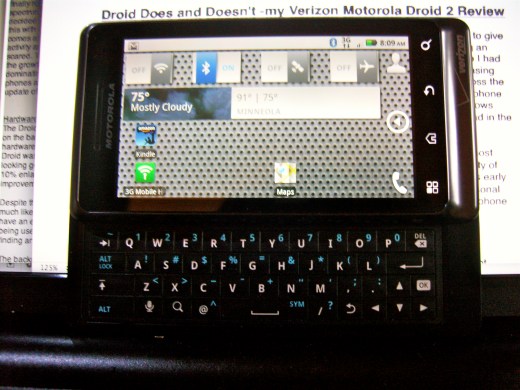
The Verizon Motorola Droid 2
Update 2/25/2011
I have ordered an iPhone 4 on Verizon. While I was happy to wait until Droid 2’s contract ran out, I am not with its recent behavior. It has been 5 months since I got it and after about 2 months of regular intensive use, it get gunked up and requires a factory reset and reloading of apps. I refuse to do this as a regular activity. On my iPod Touch, I have over a hundred applications and keep over a 1000 contacts, and there is no lagging, no freezing as I look up contacts and compose emails. You can only upgrade Android OS by purchasing a new device, and you load apps at your own risk. My job is too important to risk it with a dodgy phone.
UPDATE 2-22-2011
posted to Droid2 User Support Forum
My Droid2 has been a big disappointment. I tried very hard to live with it. Specifically:
It has been lagging and freezing consistently despite reboots which used to solve the problem. Looking up a contact takes 5-10 seconds and then dialing the number by pressing the number takes another 5-10 seconds of waiting.
I have been told to reboot and reload programs one at a time to identify the problem. I have identified the problem. It is the Android operating system and Motorola’s disinterest in upgrading the OS. In fact, to upgrade any Android device, you have to get a new Android device.
The final straw came this weekend when while on call, the phone decided to lock up and not receive calls -very dangerous for a surgeon on call -luckily, people were able to reach me via my land line.
This is not a mission critical device and I’m going back to the safety of an iPhone. I have put a call into our Verizon rep.
I have to say, the people on the forum here have been wonderful, but I don’t have the time and inclination to sit for several hours trouble shooting a device that wants to run like a Windows ME PC.
UPDATE 2-6-2011
I originally wrote this review last fall. Since I wrote it, I have been tweaking and fiddling with the Droid2 and finally feel that it is working well for me. Initially, I used Launcher Pro to turn off Motoblur, but found increasingly that the device was freezing. I have since turned off Launcher Pro and found the initial troubles I had with Motoblur not to be an issue: bad battery life, processes run astray, and lagging. The slowness and freezing still occurs, but it only requires a reboot and this is only necessary every few days if I don’t swap out the batteries. The batteries are now available on Amazon for very cheap -because the Droid 2 batteries are compatible with the original Droid, the batteries are cheap enough to buy a bunch and a separate battery charger. This allows me to keep the Droid 2 always handy and automatically reboots the Droid 2. Battery now goes about 6-8 hours of regular usage. With three extra batteries -I can go several days -the length of a business trip.
The announcement of iPhone on Verizon has me excited, but only for iPhone 5. Truthfully, it will have to be awfully compelling. While the keyboard on Droid 2 could be a lot better -it’s not tactile enough and the top row is tough to hit because there is very little space between it and the screen, Motorola or Verizon appears to have secretly upgraded the OS from launch and it runs better. What really is compelling is many of my iOS apps run on Android and in some instances, the Android versions are better. For example, Huffington Post always crashes on my iPod Touch, but runs smooth as silk on the Droid2. Drop Box and Evernote work very well, where Mobileme only works on my Apple devices.
Cloud computing and cross platform apps make the OS less relevant and hardware has becomes more important as a differentiating factor. Frankly, despite my love of Apple devices, I’m getting a bit of Apple fatigue. Some Steve Jobs weirdness about buttons (he hates) and keyboards on smartphones (he hates) is making Android the underdog.
What doesn’t work well: compared to iOS, the pinch to zoom and pan is crude, the browser is clearly inferior to Safari in terms of readability (Retina Display is not a gimmick), and Flash is a good news/bad news proposition.
The camera -I’m taking more pictures with this camera and find it takes much better pictures than my Samsung NV10 which I use for OR shots of pathology. The only hassle is that the circulating nurse can’t just pick up and take pictures with this which they can easily with the Samsung. For macro to face shots at decent lighting, the camera is good. The iPhone still is a better all around smartphone-camera for landscapes, but I’m graduating to a better camera as soon as the Olympus ZX-1 is released.
My biggest complaint: Verizon’s VZ Navigator app stopped working and I have only Google’s Navigator which still feels raw and beta-ish works.
Updated review: Very functional device which has improved with time -probably due to some update from Motorola or Verizon.
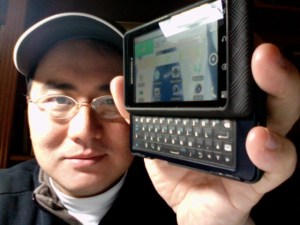
Original Review from November, 2010
After patiently waiting almost a year for iPhone to show up on Verizon, I decided to give into the hype and picked up a Droid 2 smartphone by Motorola. I had been using an HTC Touch Pro 2, which ran Windows Mobile 6.5. Like every prior WinMo device I had owned, it ran great for the first few weeks then began to require reboots in increasing frequency until it finally required a hard reboot which points to a consistency across the Windows product spectrum. Because i am a vascular surgeon for whom the telephone is “mission critical” I decided to turn in the HTC Touch Pro 2 for a Motorola Droid 2.
The Droid 2 comes at a time when Android based smartphones are released almost weekly. This febrile activity among smartphone manufacturers reflects the volatility of this still relatively new market and product category. Everyone hopes that Apple’s early lead out of the gate is just a replay of the mid 1980‘s when Apple owned the personal and educational computer space. There is a pressure among the smartphone makers to be at once cool but at the same time enterprise (corporate) ready.
Hardware -the nuts and bolts
The Droid 2 is a solid, heavy device with a metallic plastic bezel and a slip resistant coating on the back plate. It has a generous, clear screen which responds well to touch. The hardware keyboard slides out with a tactile click, and the keyboard which on last year’s Droid was panned as one of the worst ever has been improved by elimination of the cheesy looking gold plated D-pad for an inverted T arrangement of arrows freeing up space for a 10% enlargement of the keys. The keys are slightly domed for tactile feedback, another improvement as last year’s Droid’s keys were flat. The keys are also backlit.
Despite these improvements, I find the keys to be stiff and difficult to reach on the top row, much like on the Nokia N810. The HTC TP2, despite being handicapped by Windows, did have an excellent keyboard that was a pleasure to use. I don’t see the Droid 2’s keyboard being useful for composing anything longer than an email because of the effort involved in finding and pressing down the keys firmly.
The backplate holds a removable battery which is rated at 1300mAh -more on this later. The battery has to be removed to access the 8gB microSD card that comes with the device. The OS when it was first released required that all the apps were stored on the onboard memory which was limited to 512mB, but now it appears that the apps live freely on a combination of onboard and user exchangeable memory. You can purchase up to a 32gB memory card. The charging is done through a microUSB port, not a miniUSB port. Micro USB is the same kind used for the Kindle and many newer devices. Beats me why this is better than the miniUSB -just more stuff to buy. The charging port is on the side of the device.
The telephone is excellent in sound quality -I’ve never had a bad Motorola telephone call. My wife refuses to give up her Razor even through it is over five years old because it works well, but like all smartphones, the phone function is one among many primary functions built into the device. Motorola, I believe, does emphasize the phone more than other manufacturers for whom the primary purpose of the device varies.
Most people now use their smartphones rather than carry separate cameras. The camera on the iPhone was superb as it was matched for the screen but it was lacking in MACRO capabilities, at least in the 3G version that I own. The Droid 2’s camera is fine for day to day shooting, and more importantly -it shoots MACRO -focusing down to several centimeters. This is critical in my practice as I take pictures of surgical findings and disease frequently. The video camera is touted to take 720p HD video (though not at 1040p). For myself, I don’t particularly care as long as the video looks good on Youtube or my iPhone. The video is sufficiently good enough that I won’t carry my aging (2 year old) Flip camcorder.
Software -the best and the worst and where Android 2.2 fits
Software is the glue that holds this phone together. The best mobile OS I have ever used was the EPOC operating system designed for the Psion series of PDA’s. It had a miniscule footprint yet was powerful and stable. It allowed for true muiltithreaded multitasking and had was so sparing in power consumption that two AA cells would last up to thirty hours. I routinely ran over ten apps simultaneously with no lag or instability -programs that crashed did not bring the whole device down. The word processing module which allowed for cutting and pasting of media and spreadsheet elements took up all of 22k of memory. EPOC lives on as Symbian within Nokia’s devices and is still by reports stable and simple to use.
Compare this to Windows Mobile which through the weight of its parent, squashed EPOC and eventually Palm OS because of the preponderance of support in corporate IT. To this day (Windows Phone 7 has yet to be released), WinMo devices routinely freeze and eat up system memory and resources requiring regular reboots. This is the opposite of mission critical, and was disconcerting for me when the phone would freeze and stop working while on call (I’m a vascular surgeon). The solution offered by Verizon support for these issues was a clean reload/hard reboot of the OS wiping out all the settings and files I had spent some time to make the device usable. Geeks still love this device because with the right skills, WinMo devices can be made to do just about anything, but to do so requires the kind of sweaty patience that most average users just do not have.
The iPhone changed all this because it addressed this question: how can easy, rich, and portable access to the internet change my life? I have read elsewhere that the iPhone should be placed among the stone cutting edge and the wheel among human inventions. While I don’t run so purply passionate about the iPhone, I was among its early adopters and still run my iPhone as a portable computer off of AT&T. I dropped AT&T because it kept dropping calls where I live, in an suburb of Des Moines, and gave no signal in the small towns that I visit for clinic. That said, the iOS that runs iPhone removes the burden of managing the computer from the user. Because the hardware and software is made by the same company, the device has the feel of craftsmanship found in bespoke suits, handmade golf clubs, and Steinway pianos. The same qualities that make iPhone work so well -simplicity, ease of ownership, and subtle but remarkable power manifest through invention rather than brute processor speed, annoys the Geeks to no end. No cut/paste! they yelled -because all prior implementations of selection was derivative of desktop computers with cursors and mice actions that did not translate well onto a touch device, Apple did not roll out cut/paste until it had developed an elegant and I think best way of selecting text. No multiprocessing? the Geeks cried -but because memory and processor resources used to run and maintain multiple open apps drains both battery power and speed, Apple chose not to offer multitasking until it got the right balance of application switching, processor resource allocation, and hardware to where multitasking, though not true multitasking still yet, does not reduce the efficiency and speed of the iPhone 4. On iPhone 3G, two generations removed, mutlitasking is not offered because it would crush the slower processor.
The Android OS, a multithreaded multitasking operating system derived from Linux, on paper offers just as many of the advantages that iOS does and some that iOS doesn’t, but the whole environment is crippled by too many cooks in the kitchen. Each manufacturer tweaks the screen with widgets and skins -this to give their devices some differentiation as they convince the device to work with different button schemes, form factors, screen sizes, and processors. This approach has several consequences.
Battery life -multitasking on Droid 2 crushes the battery life. By peaking in on the running processes I see that there are up to thirty different processes at any given moment that eat up processor cycles and therefore battery life. Android leaves it up to the user to decide what processes to keep running and which ones to stop -happy times for the Geeks, but for the average user, it’s flummoxing to have to decide if some obscurely named subroutine of a program that has been running for three days is critical or nonessential. Why does the end user have to decide this at all? What’s even worse, it is never clear that when you get out of a program, that you have actually quit running it. You just can’t tell easily.
If you don’t figure out how to run Android down to the rebuild-the-engine knowledge level, your battery life will suffer. My experience with iPhone is that with light browsing, some music listening, average email/web surfing, and usual daily load of phone calls, I can get through a normal work day of 8 hours without trouble but would have to recharge on call. I carry a battery pack just for this (the iPa, a scary big battery from China) for being on call. Even so, on a usual day, I never had to worry about battery life.
The Droid 2’s battery life is miserably short -going about 4 hours of light use before going under 50% and getting critically low before the 8 hours of a usual work day. By busily tracking down and quitting errant processes, by turning off wifi, bluetooth, and GPS, I think I do gain some improvement but at the cost of functionality. There is a 2800mAh extended battery available from Seido, but it requires putting a nonmatching cover on the device, giving it a huge hump and making it even heavier. The solution I’ve taken is purchasing 3 more standard batteries (they cost about 7$ on Amazon as of this writing) and a separate battery charger. This should give me a full 24 hours of charge without having to worry about multitasking and without having to Geek out. That said, to make the machine run well, I do anticipate having to reboot it every day to clear the buffers.
Flash -Android 2.2 comes with a Flash player. Flash is a huge point of contention among Geeks. Even among those who don’t like it, they changed their mind after Apple chose not to support it on iOS. The Flash seems to work okay -the advertisements that still use it are animated, and you can watch some Flash content. The problem here is that these banner ad elements are tiny on a cell phone and worthless when blown up. I suspect that running Flash also causes a serious battery drain.
Motorola Widgets, aka Motoblur -In trying to differentiate itself from other manufacturers, Motorola added a set of apps that are continuously running on the screen -social network updates and weather and the like. The contacts shortcuts are very buggy and don’t work well, but otherwise, it’s nice eye candy. This morning, I picked up my phone and the battery was very warm -some app was running the processor so much as to cause it to heat up, and I think it’s the Motorola apps. You can remove all the widgets and leave the screens bare which I’m favoring.
Android Market -Google’s answer to Apple’s App Store is shiny and full of apps which are direct analogs of iOS apps as well as near copies. Such as it is, it’s cluttered and disorganized just the way the Geek’s like it. There is no way to see sample screens or reviews, and every download comes with a warning about what resources and security issues each app will bring. Compared to Apple’s App Store, there is a bit of the Wild West mentality with regard to security. They might as well slap a big sign -Buyer Beware! on the background of the Android Market. That said, getting Apps is far easier than it was on Windows Mobile.
Google Integration/Microsoft Exchange Support- Naturally, this is a given as one of the first things Android asks for is your Gmail address. The Gmail app works okay, but the menus are not consistent across their messaging applications -the buttons are different for Gmail. Geeks won’t mind, but the average user will. Microsoft exchange support is available out of the box and it works okay -the only problem I’ve had is none of the contact images have come over. Also, the contact application takes an extremely long time to bring up contact data -this may be because it’s looking up the contact on the exchange server rather than caching it on the phone. I say this because the contacts lookups work better on Wifi.
Included Software -Most people will be familiar with the included crapware/trialware that comes with PC’s. They are here as well. Who uses Blockbuster to watch movies? Who knew that Blockbuster was still around? I’ve been steadily deleting these. There is a Navigation app which is a turn by turn navigation software offered by Google that is like all of their products in beta release. It’s free, and that warms my heart because the Verizon navigation app costs $10/month. The Google navigation app is not particularly polished, but who’s going to argue with FREE.
Kindle App -You can download a Kindle App that will sync up with your library of Kindle books on Amazon, and it works very nicely on the sharp screen. The only problem is that you would would burn through the battery while reading for a couple of hours. The only thing more annoying than having the battery give out while reading The Girl with the Dragon Tattoo is to not be able to make phone calls while running through an airport.
Medical Software -The only medical app I found was ePocrates. This works like the iPhone app. Medscape is not available, but there are the usual assortment of medical calculators and references (link: http://www.imedicalapps.com/2010/03/free-android-medical-apps/). Because of the battery life issue, I don’t think I will use this phone much in this way except when it’s all that I’m carrying.
Wifi hotspot -For around 30 bucks a month, you can press a button on the Droid 2 to turn it into a personal Wifi hotspot. This burns up battery life, but works well. When I go to one of my rural clinics, I have my medical assistant drive, and I hooked up the HTC Touchpro 2 to an app called Walking Hotspot (40 bucks, available at Handango) so that I could surf with my iPad. This is a nice feature, but seriously handicapped by the meager battery life on Droid 2. It’s best used plugged into a power source.
Notifcations: Notifications are alerts that occur when a message comes in. On the iOS, notifications are a pickle because they beep and then pop out a window that pauses whatever it is you are doing and stays there until you decide to press cancel or view. This is not a problem if you were surfing the web, but it’s a downer if you were about to pwn someone on NOVA. Android notifications are wonderful -the bell rings, but rather than stop you in the middle of a game, lets say, it shows up as a mini icon on the top of the screen that you can drag down to view. No one likes the way Apple does notifications, but I’m assuming they’re working on it.
Summary
It doesn’t suck as bad as Windows Mobile 6.5 did. It could be great if they could work harder at integrating all the disparate elements of OS/manufacturer/network provider. If you’ve ever driven a well engineered luxury car, you can appreciate the iPhone’s focus on user experience. The initial limitations put on iOS (most of them resolved except for notifications) and the juried App Store environment reflect Apple’s desire not to cripple the phone with poor speed or battery life. Google takes the opposite tack, leaving it up to the user to define the experience. Unfortunately, for 90% of users, that is meaningless and they end up with a phone tarted up by the phone manufacturers and cellular network providers with crapware (HTC’s Sense and Motorola’s Motoblur) that pay little attention to the consequences like slower speed, poor interaction among programs, and suboptimal battery life as the phones get cluttered up like a hotel room without maid service. I could take the time to eliminate all the Motoblur widgets and to scrupulously police all the processes on the task manager, while rebooting daily, to improve battery life and performance, but I don’t want to. I want to leave my wifi, bluetooth, and GPS radios always on and surf whenever the urge hits me. I really want this to be a portable computer replacement. To go back to the car analogy, there is no balance in the Droid 2. This is a mass market manual shift car that comes with a big engine and a small gas tank. They might as well put flames on the side. Most of the apps available smell of desperate me-tooism. I think that as soon as iPhone becomes available on Verizon, this Droid is gone. In fact, I’ve already ordered a new iPod Touch (with Retina Display and Facetime) to be my regular communicator device, and will keep the Droid along with the three spare batteries I’ve ordered handy as a phone and Wifi hotspot. It probably is the best smartphone on Verizon, but I know there is a better smartphone out there.
UPDATED 11/23/2010
I am still using the Droid 2, but in a very limited way. The device had a serious battery drain issue from running Motoblur, and through the friendly moderators at Motorola’s support site, I was advised to turn off Motoblur by using an app called Launcher Pro. This cuts off Motoblur and returns the device to a sort of pure Android state.
Battery life has improved significantly to where I can go a whole workday.
Disappointments include
- Variable performance. On some occasions, looking up contacts is speedy, but usually, it’s unusably slow. For example, in the text messaging app, if I add a contact to send the text to, it may take up to ten seconds if it’s fast, or it just doesn’t at all.
- Really bad browsing. The browser works slowly even on a wifi network. If there is Flash, its slows to a crawl. The pinch out to zoom works kinda sorta okay but without the accuracy of iPhone. It’s also so touchy that unlike iphone which guesses your intention with gestures, a pinch to zoom may tap a link on the browser and move you out of the page you were reading. Because it’s slow, it can take forever to get back to the point that you were zooming into.
- Photo -the camera works well, but the sharing option crashes frequently. Sharing via email which should be a no brainer is miserable because of incredibly slow contact lookups.
- Freezes -using multimedia -mostly videos and Flash causes the Droid 2 to freeze, requiring a battery removing reboot. This is so Windows Mobile 6.5!
The way I am using this device is primarily as a phone and as an internet access hotspot for my iOS devices. When I am in Wifi at work or home, I prefer looking up contacts via my iPod Touch 4th generation and dialing through Google Voice via GV Mobile + app. Google Voice calls the Droid 2 and then connects me to my intended contact -it’s faster than looking up a contact on the Droid 2. Text messaging as well is much faster via my iPod touch than the Droid 2 because again, contact lookups is so botched up.
The only saving grace is the Wifi hotspot capability, but even here, it’s a pain, because you can’t use Bluetooth and run the hotspot at the same time. If I move to Verizon iPhone (Very Likely when it comes out), I will get a separate Wifi hotspot device on a network with a generous data plan. The only reason I would not do this if Verizon’s iPhone comes too close to the anticipated June 2011 iphone update.
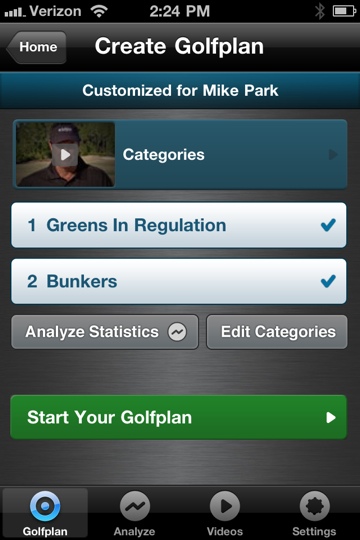
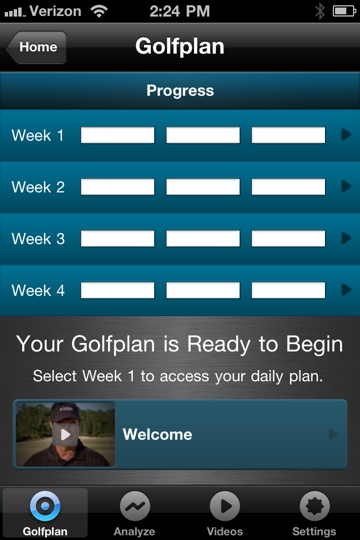
 Press release for Golfplan -will have indoor golf drills to hone your game from the inimitable and formidable Mr. Paul Azinger.


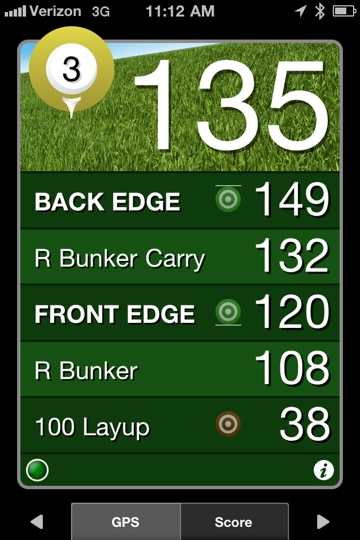
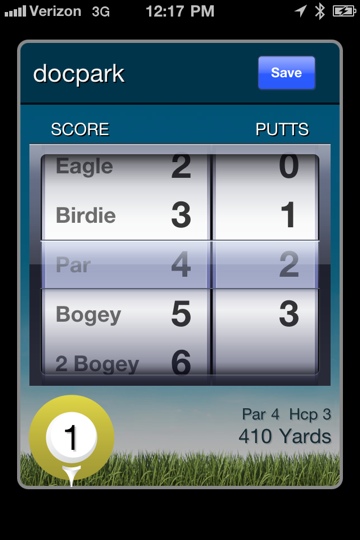







 Golfism -life is a metaphor for golf