Droid Does and Doesn’t -my Verizon Motorola Droid 2 Review -updated

The Verizon Motorola Droid 2

Update 2/25/2011

I have ordered an iPhone 4 on Verizon. While I was happy to wait until Droid 2’s contract ran out, I am not with its recent behavior. It has been 5 months since I got it and after about 2 months of regular intensive use, it get gunked up and requires a factory reset and reloading of apps. I refuse to do this as  a regular activity. On my iPod Touch, I have over a hundred applications and keep over a 1000 contacts, and there is no lagging, no freezing as I look up contacts and compose emails. You can only upgrade Android OS by purchasing a new device, and you load apps at your own risk. My job is too important to risk it with a dodgy phone.

UPDATE 2-22-2011

posted to Droid2 User Support Forum

My Droid2 has been a big disappointment. I tried very hard to live with it. Specifically:

It has been lagging and freezing consistently despite reboots which used to solve the problem. Looking up a contact takes 5-10 seconds and then dialing the number by pressing the number takes another 5-10 seconds of waiting.

I have been told to reboot and reload programs one at a time to identify the problem. I have identified the problem. It is the Android operating system and Motorola’s disinterest in upgrading the OS. In fact, to upgrade any Android device, you have to get a new Android device.

The final straw came this weekend when while on call, the phone decided to lock up and not receive calls -very dangerous for a surgeon on call -luckily, people were able to reach me via my land line.

This is not a mission critical device and I’m going back to the safety of an iPhone. I have put a call into our Verizon rep.

I have to say, the people on the forum here have been wonderful, but I don’t have the time and inclination to sit for several hours trouble shooting a device that wants to run like a Windows ME PC.

UPDATE 2-6-2011

I originally wrote this review last fall. Since I wrote it, I have been tweaking and fiddling with the Droid2 and finally feel that it is working well for me. Initially, I used Launcher Pro to turn off Motoblur, but found increasingly that the device was freezing. I have since turned off Launcher Pro and found the initial troubles I had with Motoblur not to be an issue: bad battery life, processes run astray, and lagging. The slowness and freezing still occurs, but it only requires a reboot and this is only necessary every few days if I don’t swap out the batteries. The batteries are now available on Amazon for very cheap -because the Droid 2 batteries are compatible with the original Droid, the batteries are cheap enough to buy a bunch and a separate battery charger. This allows me to keep the Droid 2 always handy and automatically reboots the Droid 2. Battery now goes about 6-8 hours of regular usage. With three extra batteries -I can go several days -the length of a business trip.

The announcement of iPhone on Verizon has me excited, but only for iPhone 5. Truthfully, it will have to be awfully compelling. While the keyboard on Droid 2 could be a lot better -it’s not tactile enough and the top row is tough to hit because there is very little space between it and the screen, Motorola or Verizon appears to have secretly upgraded the OS from launch and it runs better. What really is compelling is many of my iOS apps run on Android and in some instances, the Android versions are better. For example, Huffington Post always crashes on my iPod Touch, but runs smooth as silk on the Droid2. Drop Box and Evernote work very well, where Mobileme only works on my Apple devices.

Cloud computing and cross platform apps make the OS less relevant and hardware has becomes more important as a differentiating factor. Frankly, despite my love of Apple devices, I’m getting a bit of Apple fatigue. Some Steve Jobs weirdness about buttons (he hates) and keyboards on smartphones (he hates) is making Android the underdog.

What doesn’t work well: compared to iOS, the pinch to zoom and pan is crude, the browser is clearly inferior to Safari in terms of readability (Retina Display is not a gimmick), and Flash is a good news/bad news proposition.

The camera -I’m taking more pictures with this camera and find it takes much better pictures than my Samsung NV10 which I use for OR shots of pathology. The only hassle is that the circulating nurse can’t just pick up and take pictures with this which they can easily with the Samsung. For macro to face shots at decent lighting, the camera is good. The iPhone still is a better all around smartphone-camera for landscapes, but I’m graduating to a better camera as soon as the Olympus ZX-1 is released.

My biggest complaint: Verizon’s VZ Navigator app stopped working and I have only Google’s Navigator which still feels raw and beta-ish works.

Updated review: Very functional device which has improved with time -probably due to some update from Motorola or Verizon.

Original Review from November, 2010

After patiently waiting almost a year for iPhone to show up on Verizon, I decided to give into the hype and picked up a Droid 2 smartphone by Motorola. I had been using an HTC Touch Pro 2, which ran Windows Mobile 6.5. Like every prior WinMo device I had owned, it ran great for the first few weeks then began to require reboots in increasing frequency until it finally required a hard reboot which points to a consistency across the Windows product spectrum. Because i am a vascular surgeon for whom the telephone is “mission critical” I decided to turn in the HTC Touch Pro 2 for a Motorola Droid 2.

The Droid 2 comes at a time when Android based smartphones are released almost weekly. This febrile activity among smartphone manufacturers reflects the volatility of this still relatively new market and product category. Everyone hopes that Apple’s early lead out of the gate is just a replay of the mid 1980‘s when Apple owned the personal and educational computer space. There is a pressure among the smartphone makers to be at once cool but at the same time enterprise (corporate) ready.

Hardware -the nuts and bolts

The Droid 2 is a solid, heavy device with a metallic plastic bezel and a slip resistant coating on the back plate. It has a generous, clear screen which responds well to touch. The hardware keyboard slides out with a tactile click, and the keyboard which on last year’s Droid was panned as one of the worst ever has been improved by elimination of the cheesy looking gold plated D-pad for an inverted T arrangement of arrows freeing up space for a 10% enlargement of the keys. The keys are slightly domed for tactile feedback, another improvement as last year’s Droid’s keys were flat. The keys are also backlit.

Despite these improvements, I find the keys to be stiff and difficult to reach on the top row, much like on the Nokia N810. The HTC TP2, despite being handicapped by Windows, did have an excellent keyboard that was a pleasure to use. I don’t see the Droid 2’s keyboard being useful for composing anything longer than an email because of the effort involved in finding and pressing down the keys firmly.

The backplate holds a removable battery which is rated at 1300mAh -more on this later. The battery has to be removed to access the 8gB microSD card that comes with the device. The OS when it was first released required that all the apps were stored on the onboard memory which was limited to 512mB, but now it appears that the apps live freely on a combination of onboard and user exchangeable memory. You can purchase up to a 32gB memory card. The charging is done through a microUSB port, not a miniUSB port. Micro USB is the same kind used for the Kindle and many newer devices. Beats me why this is better than the miniUSB -just more stuff to buy. The charging port is on the side of the device.

The telephone is excellent in sound quality -I’ve never had a bad Motorola telephone call. My wife refuses to give up her Razor even through it is over five years old because it works well, but like all smartphones, the phone function is one among many primary functions built into the device. Motorola, I believe, does emphasize the phone more than other manufacturers for whom the primary purpose of the device varies.

Most people now use their smartphones rather than carry separate cameras. The camera on the iPhone was superb as it was matched for the screen but it was lacking in MACRO capabilities, at least in the 3G version that I own. The Droid 2’s camera is fine for day to day shooting, and more importantly -it shoots MACRO -focusing down to several centimeters. This is critical in my practice as I take pictures of surgical findings and disease frequently. The video camera is touted to take 720p HD video (though not at 1040p). For myself, I don’t particularly care as long as the video looks good on Youtube or my iPhone. The video is sufficiently good enough that I won’t carry my aging (2 year old) Flip camcorder.

Software -the best and the worst and where Android 2.2 fits

Software is the glue that holds this phone together. The best mobile OS I have ever used was the EPOC operating system designed for the Psion series of PDA’s. It had a miniscule footprint yet was powerful and stable. It allowed for true muiltithreaded multitasking and had was so sparing in power consumption that two AA cells would last up to thirty hours. I routinely ran over ten apps simultaneously with no lag or instability -programs that crashed did not bring the whole device down. The word processing module which allowed for cutting and pasting of media and spreadsheet elements took up all of 22k of memory. EPOC lives on as Symbian within Nokia’s devices and is still by reports stable and simple to use.

Compare this to Windows Mobile which through the weight of its parent, squashed EPOC and eventually Palm OS because of the preponderance of support in corporate IT. To this day (Windows Phone 7 has yet to be released), WinMo devices routinely freeze and eat up system memory and resources requiring regular reboots. This is the opposite of mission critical, and was disconcerting for me when the phone would freeze and stop working while on call (I’m a vascular surgeon). The solution offered by Verizon support for these issues was a clean reload/hard reboot of the OS wiping out all the settings and files I had spent some time to make the device usable. Geeks still love this device because with the right skills, WinMo devices can be made to do just about anything, but to do so requires the kind of sweaty patience that most average users just do not have.

The iPhone changed all this because it addressed this question: how can easy, rich, and portable access to the internet change my life? I have read elsewhere that the iPhone should be placed among the stone cutting edge and the wheel among human inventions. While I don’t run so purply passionate about the iPhone, I was among its early adopters and still run my iPhone as a portable computer off of AT&T. I dropped AT&T because it kept dropping calls where I live, in an suburb of Des Moines, and gave no signal in the small towns that I visit for clinic. That said, the iOS that runs iPhone removes the burden of managing the computer from the user. Because the hardware and software is made by the same company, the device has the feel of craftsmanship found in bespoke suits, handmade golf clubs, and Steinway pianos. The same qualities that make iPhone work so well -simplicity, ease of ownership, and subtle but remarkable power manifest through invention rather than brute processor speed, annoys the Geeks to no end. No cut/paste! they yelled -because all prior implementations of selection was derivative of desktop computers with cursors and mice actions that did not translate well onto a touch device, Apple did not roll out cut/paste until it had developed an elegant and I think best way of selecting text. No multiprocessing? the Geeks cried -but because memory and processor resources used to run and maintain multiple open apps drains both battery power and speed, Apple chose not to offer multitasking until it got the right balance of application switching, processor resource allocation, and hardware to where multitasking, though not true multitasking still yet, does not reduce the efficiency and speed of the iPhone 4. On iPhone 3G, two generations removed, mutlitasking is not offered because it would crush the slower processor.

The Android OS, a multithreaded multitasking operating system derived from Linux, on paper offers just as many of the advantages that iOS does and some that iOS doesn’t, but the whole environment is crippled by too many cooks in the kitchen. Each manufacturer tweaks the screen with widgets and skins -this to give their devices some differentiation as they convince the device to work with different button schemes, form factors, screen sizes, and processors. This approach has several consequences.

Battery life -multitasking on Droid 2 crushes the battery life. By peaking in on the running processes I see that there are up to thirty different processes at any given moment that eat up processor cycles and therefore battery life. Android leaves it up to the user to decide what processes to keep running and which ones to stop -happy times for the Geeks, but for the average user, it’s flummoxing to have to decide if some obscurely named subroutine of a program that has been running for three days is critical or nonessential. Why does the end user have to decide this at all? What’s even worse, it is never clear that when you get out of a program, that you have actually quit running it. You just can’t tell easily.

If you don’t figure out how to run Android down to the rebuild-the-engine knowledge level, your battery life will suffer. My experience with iPhone is that with light browsing, some music listening, average email/web surfing, and usual daily load of phone calls, I can get through a normal work day of 8 hours without trouble but would have to recharge on call. I carry a battery pack just for this (the iPa, a scary big battery from China) for being on call. Even so, on a usual day, I never had to worry about battery life.

The Droid 2’s battery life is miserably short -going about 4 hours of light use before going under 50% and getting critically low before the 8 hours of a usual work day. By busily tracking down and quitting errant processes, by turning off wifi, bluetooth, and GPS, I think I do gain some improvement but at the cost of functionality. There is a 2800mAh extended battery available from Seido, but it requires putting a nonmatching cover on the device, giving it a huge hump and making it even heavier. The solution I’ve taken is purchasing 3 more standard batteries (they cost about 7$ on Amazon as of this writing) and a separate battery charger. This should give me a full 24 hours of charge without having to worry about multitasking and without having to Geek out. That said, to make the machine run well, I do anticipate having to reboot it every day to clear the buffers.

Flash -Android 2.2 comes with a Flash player. Flash is a huge point of contention among Geeks. Even among those who don’t like it, they changed their mind after Apple chose not to support it on iOS. The Flash seems to work okay -the advertisements that still use it are animated, and you can watch some Flash content. The problem here is that these banner ad elements are tiny on a cell phone and worthless when blown up. I suspect that running Flash also causes a serious battery drain.

Motorola Widgets, aka Motoblur -In trying to differentiate itself from other manufacturers, Motorola added a set of apps that are continuously running on the screen -social network updates and weather and the like. The contacts shortcuts are very buggy and don’t work well, but otherwise, it’s nice eye candy. This morning, I picked up my phone and the battery was very warm -some app was running the processor so much as to cause it to heat up, and I think it’s the Motorola apps. You can remove all the widgets and leave the screens bare which I’m favoring.

Android Market -Google’s answer to Apple’s App Store is shiny and full of apps which are direct analogs of iOS apps as well as near copies. Such as it is, it’s cluttered and disorganized just the way the Geek’s like it. There is no way to see sample screens or reviews, and every download comes with a warning about what resources and security issues each app will bring. Compared to Apple’s App Store, there is a bit of the Wild West mentality with regard to security. They might as well slap a big sign -Buyer Beware! on the background of the Android Market. That said, getting Apps is far easier than it was on Windows Mobile.

Google Integration/Microsoft Exchange Support- Naturally, this is a given as one of the first things Android asks for is your Gmail address. The Gmail app works okay, but the menus are not consistent across their messaging applications -the buttons are different for Gmail. Geeks won’t mind, but the average user will. Microsoft exchange support is available out of the box and it works okay -the only problem I’ve had is none of the contact images have come over. Also, the contact application takes an extremely long time to bring up contact data -this may be because it’s looking up the contact on the exchange server rather than caching it on the phone. I say this because the contacts lookups work better on Wifi.

Included Software -Most people will be familiar with the included crapware/trialware that comes with PC’s. They are here as well. Who uses Blockbuster to watch movies? Who knew that Blockbuster was still around? I’ve been steadily deleting these. There is a Navigation app which is a turn by turn navigation software offered by Google that is like all of their products in beta release. It’s free, and that warms my heart because the Verizon navigation app costs $10/month. The Google navigation app is not particularly polished, but who’s going to argue with FREE.

Kindle App -You can download a Kindle App that will sync up with your library of Kindle books on Amazon, and it works very nicely on the sharp screen. The only problem is that you would would burn through the battery while reading for a couple of hours. The only thing more annoying than having the battery give out while reading The Girl with the Dragon Tattoo is to not be able to make phone calls while running through an airport.

Medical Software -The only medical app I found was ePocrates. This works like the iPhone app. Medscape is not available, but there are the usual assortment of medical calculators and references (link: http://www.imedicalapps.com/2010/03/free-android-medical-apps/). Because of the battery life issue, I don’t think I will use this phone much in this way except when it’s all that I’m carrying.

Wifi hotspot -For around 30 bucks a month, you can press a button on the Droid 2 to turn it into a personal Wifi hotspot. This burns up battery life, but works well. When I go to one of my rural clinics, I have my medical assistant drive, and I hooked up the HTC Touchpro 2 to an app called Walking Hotspot (40 bucks, available at Handango) so that I could surf with my iPad. This is a nice feature, but seriously handicapped by the meager battery life on Droid 2. It’s best used plugged into a power source.

Notifcations: Notifications are alerts that occur when a message comes in. On the iOS, notifications are a pickle because they beep and then pop out a window that pauses whatever it is you are doing and stays there until you decide to press cancel or view. This is not a problem if you were surfing the web, but it’s a downer if you were about to pwn someone on NOVA. Android notifications are wonderful -the bell rings, but rather than stop you in the middle of a game, lets say, it shows up as a mini icon on the top of the screen that you can drag down to view. No one likes the way Apple does notifications, but I’m assuming they’re working on it.

Summary

It doesn’t suck as bad as Windows Mobile 6.5 did. It could be great if they could work harder at integrating all the disparate elements of OS/manufacturer/network provider. If you’ve ever driven a well engineered luxury car, you can appreciate the iPhone’s focus on user experience. The initial limitations put on iOS (most of them resolved except for notifications) and the juried App Store environment reflect Apple’s desire not to cripple the phone with poor speed or battery life. Google takes the opposite tack, leaving it up to the user to define the experience. Unfortunately, for 90% of users, that is meaningless and they end up with a phone tarted up by the phone manufacturers and cellular network providers with crapware (HTC’s Sense and Motorola’s Motoblur) that pay little attention to the consequences like slower speed, poor interaction among programs, and suboptimal battery life as the phones get cluttered up like a hotel room without maid service. I could take the time to eliminate all the Motoblur widgets and to scrupulously police all the processes on the task manager, while rebooting daily, to improve battery life and performance, but I don’t want to. I want to leave my wifi, bluetooth, and GPS radios always on and surf whenever the urge hits me. I really want this to be a portable computer replacement. To go back to the car analogy, there is no balance in the Droid 2. This is a mass market manual shift car that comes with a big engine and a small gas tank. They might as well put flames on the side. Most of the apps available smell of desperate me-tooism. I think that as soon as iPhone becomes available on Verizon, this Droid is gone. In fact, I’ve already ordered a new iPod Touch (with Retina Display and Facetime) to be my regular communicator device, and will keep the Droid along with the three spare batteries I’ve ordered handy as a phone and Wifi hotspot. It probably is the best smartphone on Verizon, but I know there is a better smartphone out there.

UPDATED 11/23/2010

I am still using the Droid 2, but in a very limited way. The device had a serious battery drain issue from running Motoblur, and through the friendly moderators at Motorola’s support site, I was advised to turn off Motoblur by using an app called Launcher Pro. This cuts off Motoblur and returns the device to a sort of pure Android state.

Battery life has improved significantly to where I can go a whole workday.

Disappointments include

  1. Variable performance. On some occasions, looking up contacts is speedy, but usually, it’s unusably slow. For example, in the text messaging app, if I add a contact to send the text to, it may take up to ten seconds if it’s fast, or it just doesn’t at all.
  2. Really bad browsing. The browser works slowly even on a wifi network. If there is Flash, its slows to a crawl. The pinch out to zoom works kinda sorta okay but without the accuracy of iPhone. It’s also so touchy that unlike iphone which guesses your intention with gestures, a pinch to zoom may tap a link on the browser and move you out of the page you were reading. Because it’s slow, it can take forever to get back to the point that you were zooming into.
  3. Photo -the camera works well, but the sharing option crashes frequently. Sharing via email which should be a no brainer is miserable because of incredibly slow contact lookups.
  4. Freezes -using multimedia  -mostly videos and Flash causes the Droid 2 to freeze, requiring a battery removing reboot. This is so Windows Mobile 6.5!

The way I am using this device is primarily as a phone and as an internet access hotspot for my iOS devices. When I am in Wifi at work or home, I prefer looking up contacts via my iPod Touch 4th generation and dialing through Google Voice via GV Mobile + app. Google Voice calls the Droid 2 and then connects me to my intended contact -it’s faster than looking up a contact on the Droid 2. Text messaging as well is much faster via my iPod touch than the Droid 2 because again, contact lookups is so botched up.

The only saving grace is the Wifi hotspot capability, but even here, it’s a pain, because you can’t use Bluetooth and run the hotspot at the same time. If I move to Verizon iPhone (Very Likely when it comes out), I will get a separate Wifi hotspot device on a network with a generous data plan. The only reason I would not do this if Verizon’s iPhone comes too close to the anticipated June 2011 iphone update.
Lady Gaga is …Meadow Soprano!

I watched network television for the first time in years on Grammy night. In the lead up to the show, I caught the Anderson Cooper interview of Lady Gaga. I have been a big fan since her first album, and have always thought that her music was the thinking man’s pop music. Cooper notes in his interview that Gaga never looks the same twice, and it is true. Watching her music videos, not only her costumes change but her look changes, many times in the same video.

Gaga complained in the interview that photographers are always asking for her to show her real self. Without any irony, she points out she is sitting in lingerie with just eyeliner on for Cooper, and even here, it’s hard to see what she really looks like. She has perfected the mask of fame. What we really yearn for is a kind of candid Gaga photo of her sitting in a pink polo shirt and Bermudas drinking a gin and tonic with just some

minimal eye liner, natural lighting – something to connect her to our mundane self. She understands this and studiously avoids ever assuming she is off camera.

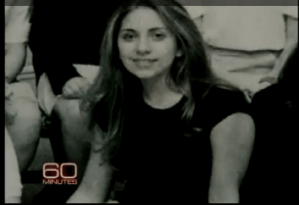
So we have to go to the source. Youtube only hints at her underlying self, and what comes out is a basically attractive young Italian-American woman (right) who went to private Catholic school and NYU.It is very hard to link this picture with the mostly nude pop superstar being interviewed by Cooper, but then a light went off.

In this season of golf senescence, I had taken to watching the whole of The Sopranos from Netflix, and the truth came to me. Gaga is Meadow Soprano (Jamie-Lynn Sigler, to left).  The face, the complexion, the eyes, all line up. It’s as if Meadow, instead of pursuing law, decided to go into performance art. Even more surprisingly, the internet rumor is that a young Stephanie Germanotta is has a cameo appearance as a high school girl watching Anthony, Jr., swimming in the 3rd Season episode, The Telltale Moozadell. 

Gaga takes these underlying bones and transforms herself with not only her masquerade and costume parade, but had some transformational moment where she decided she would no longer be just Stephanie Germanotta, NYU coed with a lot of fallback plans.

That was the question Cooper failed to ask.


Addendum:

I was watching the episode and found her -she is indeed in the scene as one of the girls on the bleacher smoking cigarettes and eating pizza while Anthony Jr., and a bunch of boys vandalize the school pool.

She enters the scene and it’s hard to tell if it really is Stephanie Germanotta, but as the camera pans away from her, you see Gaga revealed. 


Operating on my Macbook Pro

Sent with Writer.
What to do with an out of warranty Macbook Pro

My Macbook Pro just ran out of its 3 year warranty. It has a dual core processor and runs well enough that it will be in use for many more years. I upgraded the ram to 4gB and despite its age, it runs the same processor as my current MacBook Air (MBA)-basically the same specs, only larger screen. Two things made it my home base computer rather than my portable machine.
The battery life is only 3 to 4 hours depending on the usage. Also, in 2007, the largest disk option was 160gB. On the MBA, the Flash memory based SSD imparts great speed and battery life because there are no moving parts. The only problem is that SSD’s still cost a lot of money -for a decent sized SSD of around 500gB, the cost runs over a thousand dollars. Knowing technology, that price will be half in a year and half still in two.

This means I need a stopgap. If I can keep the machine going another two years in useful condition, in two years, the laptop will in fact be faster still than it was when I bought it with better battery life.

That is where this bit of laptop surgery comes in. After shopping around on the internet, I came across this Western Digital laptop hard drive -500gB for $65! It arrived in a recyclable Amazon box. With instructions from the internet, I removed the screws from the laptop.

All the exterior screws on the Macbook Pro have a wax seal, and I suspect that something tips off the Apple techs when they open these cases that the warranty is voided. That is correct -opening the holy of holies will void your warranty. Too keep snoopers out, Apple has made it even more difficult to open their later uni-body laptops, starting with the screws which require proprietary screwdrivers -but even these are available on-line for the adventurous.

Installing the hard drive was fairly straightforward once the dissection was complete -just like in a real operation! I booted up using my Snow Leopard DVD and partitioned the drive into a 400gB section for the Mac and a 100gB section for Windows 7. I’ve become a huge fan of Windows 7, and running it on Apple Hardware is not only ironic, but really great. Using Time Machine (you have to back up to a plugged in hard drive before starting all of this), all of my documents, settings, and applications were restored.

This $65 dollar hard drive gives me enough space to live in for the next two years. It is also a 7200rpm drive, meaning it’s faster than the original stock 5400rpm drive. The drive that I removed I’ll hold onto for now. I will probably slip it into an enclosure and use it as a portable drive for movies and tunes, but with over 300gB of free space on the Mac segment, I’ll be fine for a while.

This is the reason why I prefer Apple hardware. The all aluminum case is still stylish and despite what they tell you, for word processing, internet surfing, movie watching, and photo processing -you don’t need a quad-core processor that will burn your lap. Not to knock PC’s but I have not had an HP, Dell, or a Sony last more than 3 years without dying or getting miserably slow. Plus, in 1-2 years, SSD’s will be cheap enough that there will be no question this machine will be around for many years.

Sent from my iPad

I Choose Not to Print

From Evernote:

I Choose Not to Print

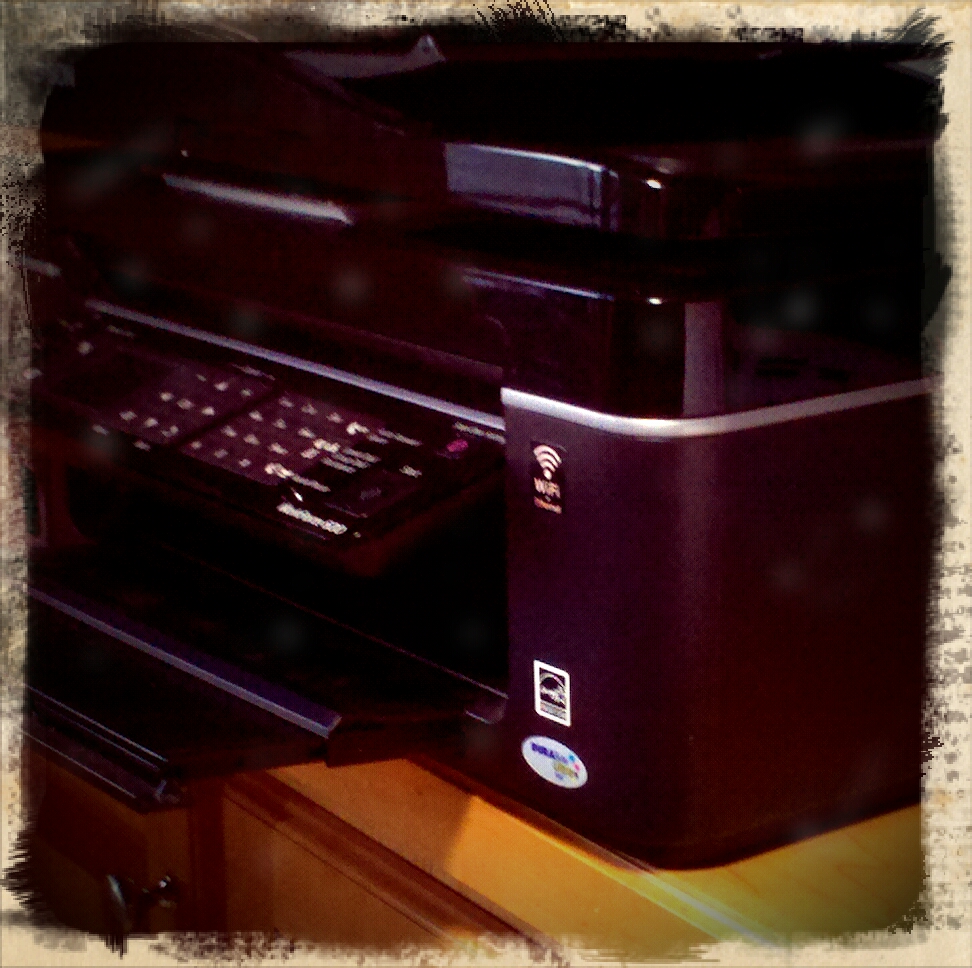
The iPad just had printing added with a great deal of restrictions, but there are apps in the App store that will allow for printing on any Wifi enabled printer. After mulling the purchase of one of these apps, I chose not to print it. Printing costs money and resources, and fact is, why print when you can send a PDF or a document? Printing is so 20th century. It is a capitulation to neo-Luddites, and it is with the same intent that Apple basically suggests you don’t waste paper and toner by putting in some road blocks to printing.

12 Gifts for the Surgeon to Get for Him/Herself.

  1. iPad. I can’t say enough about this device. It’s changed the way I approach technology. I use it every day to check email, to browse the web, and to write blog entries such as this. Using the Citrix app, I can access my practices EMR in large format glory. I can remotely attend meetings and watch the slides on the GoToMeeting app. I snuggle in the easy chair with my son and watch movies on rainy weekend days off via my Netflix app, and he uses it to play a bazillion games -none of which cost more then ten dollars., most for a buck which is a substantial savings over Nintendo DS games. I can keep up with my favorite tv show, The Walking Dead, downloaded weekly directly to the iPad. I can watch every Yankees game this season on my MLB app, live and in high definition. What really makes this device rock is Keynote –I use it to create a presentation of preop imaging studies, particularly the stunning 3D reconstruction of CTA imaging, and add intraop photography to it using the iPad Camera Connection Kit. The whole process takes a few minutes, but makes a patient family discussion incredibly effective. I feel that we are only scratching the surface of this category of device. I purchased a 64GB iPad with wifi only because of the next reason. (www.apple.com)
  2. Mobile Wifi. This comes in many different forms and is offered by most carriers. It can be purchased as USB stick for a computer –I don’t recommend this as it is the most limiting form of mobile Wifi. The mobile Wifi hotspot can be purchased as a small cigarette boxed sized item (in how many years will that description become obsolete?), and allows for up to 5 devices to be on the network. While this is nice, it requires a separate contract, and doesn’t make sense if you already have a data plan for a smartphone. Most Android phones allow Wifi tethering and this is the most compelling reason to get an Android phone despite its inferiority to the iPhone in most other ways. I have a Droid 2 on Verizon, and despite its failings as a smartphone, it is a wonderful Wifi hotspot, allowing me to use my Macbook Air, iPad, and iPod Touch 4g. I’ve even used Skype on my iPod Touch 4g to make international calls which were clear as a bell and cost only pennies per minute. How nice is it? Going to our rural clinics, the 2 hour drive is made productive and bearable with Wifi in the car (with my assistant driving, of course).
  3. MacBook Air 11 inch. While I do most of the my work on my 2 year old Macbook Pro 15 inch, I was frustrated by the limited battery life in that laptop. It is only good for about 3 hours, and I had to carry an extra battery. Several days ago, I hurt my back carrying the laptop bag on my shoulder, and I decided to take the plunge. While the Macbook Air 13 inch does have the longer battery life, it is very close to having a 15 inch laptop which I already have. I wanted something substantially smaller. The best analogy would be someone with a 5 Series BMW wanting a sporty 2 seater for occasional use –that person would not get another 3 Series sedan. The MacBook Air does not fail to satisfy. I have owned two prior netbooks in an attempt to go ultraportable and while the battery life was excellent (using lumpy extended batteries), they were slow and the keyboards were miserable, but what really drove me away from netbooks were their trackpads. I had an Acer Aspire One and more recently a Dell Mini 10V which I hackintoshed. Even with OS X running on the Dell netbook –and it ran very well, the trackpads on both machines left me feeling wretched after short usage. The MacBook Air does not have this problem with a full-sized keyboard and a giant trackpad that takes multitouch commands. I am writing this article on the Air, and I have a shit-eating grin on my face right now. Why the Air, and not the iPad. I do have a bluetooth keyboard for the iPad –I found an old Palm bluetooth keyboard that works very well and is even more portable than the Apple Bluetooth keyboard. While text entry is okay at the desk, and even better with the iPad keyboard dock, both bluetooth keyboard and even keyboard dock fail to connect with the iPad. While I haven’t tried since the iOS 4.2.1 update, I found this to be bothersome trying to type on the iPad, and feel better for coming back to a laptop. That said, the 11 inch air is weighs about the same as the iPad. Apple, despite its addition of a limited subset of iWork apps for iPad, does not see it as a content creation device, and I agree. Ergonomically, the laptop still has its use. Most notably, iWeb and other web management applications run exclusively on the laptop for now. Also, despite my dislike of Microsoft Office on Windows, I am very pleased with Office for the Mac, and Word for Mac 2011 is the first piece of Microsoft software to leave me happy in a long time. (www.apple.com)
  4. iPod Touch 4th Generation –This is basically the iPhone 4G without the phone part. Because the telephone elements are gone, what is left is an insanely slim and light iPod Touch with a back and front facing camera and FaceTime capabilities. While I haven’t explicitly tried it yet, Facetime has incredible potential as a telemedicine platform. In a hospital with fast Wifi, it’s a no-brainer. The iPod Touch is my mini-iPad. Even better, the GV Mobile + app lets me dial out via my Google Voice number which is forwarded to my cell phone. One thing about the Droid 2, the latest and greatest from Motorola –it freezes or slows down tremendously when you look up contacts. My iPod Touch acts as a dialer for my phone and through Google Voice, all my voicemails get transcribed as emails. The Line2 app is even greater –it turns my iPod Touch into a VoIP (voice over internet) phone. It’s an important function because in the bowels of most hospitals and in my basement, cell reception is nonexistent but wifi is present, and because my answering service calls to my Google Voice number, it forwards to my Line2 number and I can get important calls in dead cell zones as long as there is wifi. And being a iPod Touch, you get access to all the wonderful games and media apps. Did I mention Retina display and the A4 processor? The display on the iPod Touch 4th Generation is a modern marvel. 4 point font is perfectly discernible and there are not jaggies or fuzzies in the text. Movies pop on this screen, and it is my front pocket computer and my in the bed computer –my wife is less bothered by my reading from the iPod Touch than from my iPad. My only complaint about the iPod Touch 4th Generation is battery life. Multitasking, particularly having the Line 2 app on to take incoming phone calls, kills the battery in about 8-10 hours –but remember, it was not meant to be a cell phone. (www.apple.com)
  5. USB recharging batteries –These are largish lithium ion batteries equipped with USB ports specifically for the recharging of gadgets that recharge via USB cables. There are many varieties and flavors, but I recommend the largest you can get for the price –you will never regret it. I found an Energizer branded cell that will recharge my iPad and still have half the power left. It is great not having to plug in at the airport. I can recharge with both battery and gadget in the carryon. One company even had a battery that would recharge the Macbook via repurposed charger cables, but Apple got a cease and desist and these batteries are no longer available. The reason why they should be large large capacity is because the charging adapters for them tend to be bulky and I leave mine home.
  6. Laptop Bag –These vary from bulky bags that go to the maximum limits of carry-on-ability to to slender sleeves. I own a range of very functional bags that allow for just enough capacity while not being bulky. The best of them is the Brenthaven backpack (link) which allows for bulletproof protection while having more than enough compartments for a laptop, a second laptop, an iPad, a digital camera, an iPod, headphones, memory cards, a smartphone, a backup battery, the cables and chargers, pen and paper. The most stylish bag (my wife calls it the man purse) is a Kenneth Cole laptop bag in black leather. While the Brenthaven bag says, “GEEK,” the Kenneth Cole bag reeks of style (link).
  7. Watch –Watches are indispensible tools for a physician. First and foremost, the date and time are required elements of a doctor’s note. A watch with a second hand is indispensible for checking heart rate. And a surgeon has to look presentable in scrubs, and the watch is one of the few personalizing items that I think a surgeons should choose with some thought. The problem with premium watches and surgeons is that the surgeon has to take them off while scrubbing for an operation. There must be at any given time some combination of Rolexes, Tag Heuers, and Omegas in hospital laundries across the country. I have become a big fan of the great looking, highly functional, cheap watch. The two best are the Timex T45951 Expedition series alarm watch which is a big chronograph with a handsome leather band –other colors are available, but the cream faced one with tan leather band is only 50-65 dollars and cheaper on sale at Amazon. It has the Indiglo feature, and a nice beeping alarm that wakes me without waking my wife. It is comfortable enough to wear to bed. The other watch is the Casio MDV102-1AV Sea Analog Illuminator Dual LED Dive Watch. This is a beautiful watch that could be mistaken for a Rolex Submariner or the James Bond Omega. Even better, the LED on it is so bright, I use it as a flashlight. Cost? Currently $42 on Amazon.
  8. Pens –The surgeon can never have enough pens. The problem with expensive pens is exactly the same as expensive watches –they are waiting to be lost in the hospital tucked into a chart or left in the laundry. The best pens leave a permanent record in the chart and has blue or black ink. They have to be roller ball if carbon paper duplicates are still used in the hospital. My favorite? A box of UniBall Onyx pens in fine point. I used to prefer Micro, but found the Micro points to be less durable. The ink flows smoothly and authoritatively from these pens which I don’t mind losing. The other pens are personalized pens to give away. The federal rules do not allow for drug companies to give away pens, but there is no such impediment to physicians giving away pens. There are many companies on the internet that will personalize bulks of very nice and usable pens.
  9. Moleskine notebooks –These handsome faux leather (no moles in moleskine)notebooks are the original PDA’s. I keep one handy for a case-log and another as a personal journal and writer’s notebook. I like the 3.5×5.5 inch sized journal because it is large enough to write comfortably in but not so much that it won’t fit in my pockets. I preferred lined pages, but unlined is nice for those who like to sketch. (http://www.moleskines.com/)
  10. CME on disk –The problem with CME conferences is that it’s hard to get the CME’s on short notice and air travel makes it fairly miserable to hike across country to get the 30-50 annual CME hours required by most state boards. There are many CME products available, but my favorite are SESAP for general surgery (link) and the UCLA update on Vascular Surgery (link). Both are available as print material and handy MP3 and video MP4 files, allowing you to take them on your iPod or in your car. And that is where your CME time is well used. I frankly enjoy the 30 minutes listening in the car.
  11. Chestnuts –I grew up with chestnuts. They were a wintertime treat. Roasted, they were a savory and sweet snack that went well with the frigid wintertime air. In New York, that great melting pot, chestnuts would be served roasted on the streets from carts by older Italian gentleman, but now you hardly ever see them. It’s hard to find a good batch of chestnuts because they don’t travel well, being prone to fungus because of the high sugar content. I came across a batch of locally grown chestnuts and pounced on them because they were fresh. That said, you can get a jar of shelled and cooked (by steaming) chestnuts from France at Williams-Sonoma. It’s seasonal and once you open the jar, you have to refrigerate them, but they are delicious plain or in a stuffing –anywhere sweet potato would go in a dish, the chestnut does better. (link)
  12. Legals Seafood Fish Chowder –There is no better chowder than fish chowder and arguably, Legals of Boston has, if not the best, at least the most convenient. You can go on their website (link) and order a gallon or a quart, and you’ll get it shipped chilled and ready to heat up and eat. If you can’t consume it all at once, you can split freeze it, or split the package into smaller portions and freeze. A bowl of fish chowder on a winter day after playing out in the snow is something special. You can try making it yourself, but you won’t get the correct combination of fish and flavor that was featured in the Bush (pre) inaugural.

The Turkey

The grocery store turkey’s evolution from the wild turkey is an echo of our journey from our wilder, free-range origins.  The wild turkey, whose intelligence caused Benjamin Franklin to recommend it for our national bird, is a far cousin of the overbred, overmedicated artifice that is the plastic wrapped bird that you plunk into your grocery cart. In the passage from our free-range origins to our over-cultivated existence, are we just overbred, overstuffed turkeys? Three things confirm this: the outsourcing of our basic food functions, the reduction of work into processes, and no reduction of stress from our surrender.

Outsourcing of Basic Food Functions

The wild turkey is known to be the most cunning of birds, requiring stealth and deceit to bring it close enough for a shot. I would assume the human in the original state of nature to be no different and no less intelligent. The urban legend is that the domesticated turkey is so stupid that they can’t be left out in the rain because they look up when hit on the head with raindrops, subsequently drowning. While this is untrue of domesticated turkeys, it may be true of domesticated humans, Homo sapiens sapiens familiaris.

We use to hunt for our food or gather it from the fields and forests. At a critical point, we domesticated the game and started farming the fruits and vegetables that sustained us, creating enough surplus calories to sustain larger populations that could then specialize in crafts, trades, and services, to where eventually the majority of the population could outsource food production to a minority of the people. If you’re lucky, you can buy a luscious apple out of season brought in by jet transport directly to your Costco from the Antipodes. This is not too much different from the turkey who willingly or unwillingly entered into the similar bargain with humans. In doing so, the turkey increased its population to an estimated 660 million turkeys currently in the world –technically a raging success on the chromosomal level. The outsourcing of the finding of food proved to be a Faustian bargain for the turkey whose life is rendered short and brutal. Depending on your outlook, the human bargain is no less Faustian because there are 6.8 billion humans, the majority of which now depend on this outsourced food production. If you are reading this on the internet, you are clearly benefiting from this arrangement. The recent economic downturn shows how easy it is to fall from the grace afforded by this system. If you can’t afford the fancy fruits, vegetables, and viands, you are stuck eating the processed corn and petroleum byproducts offered as stock feed for the masses.


Reduction of work into processes

Somewhere the idea of work, trade, and craft as virtuous activities became lost as the management professions became elevated. I remember having dinner right out of college with a bunch of young lawyers and consultants in Boston, none over the age of thirty. All were entrusted in some way with managing, valuing, judging, and giving advice on billions of dollars, thus affecting the lives of many people. None of these guys had really worked a day in their lives (including me except maybe stocking groceries throughout high school), but were clearly inside some kind of membrane that separated them from everyone else who did have to work for a wage and save a lifetime to afford a lifestyle that these young men were having straight out of college. One boasted that the yearly return on their fund outstripped the gross national product of whole countries, reaching for some kind of irony that I used to think was cool and now I think is depressing.

I have nothing against capitalism, and know second-hand through my parents and my wife’s parents the horrors of totalitarian communism, but there is a problem when theory trumps practice. Business management allows the reduction of any human activity into processes. The inputs and outputs of these processes can be tabulated, analyzed, and optimized. The logical end result is a human worker confinement pen like the factories in Shenzhen that make my gadgets –the workers live in dormitories adjacent to the factories allowing them to run 24/7. What we are witnessing is the ongoing triumph of totalitarian capitalism, and we’re going to either compete with China on their level or borrow furiously to maintain our relatively luxurious, free-range confinement pens. Neither is palatable to a country having just ended America’s Century in the dust cloud of falling towers.


No Reduction of Stress From Our Surrender

The majority of us don’t worry about food because it’s always there in the mega-mart, piled high and cheap. By surrendering our food production, we give up a load of stress but gain new ones. The ancestral stresses of hunger, climate, fear, and disease have been swapped for financial, social, and domestic stress. We outsourced our security functions to the local constabulary and our military, but rather than bask in security, we worry about terrorists at home and an endless war abroad. This stress is basically the same stress that the Thanksgiving turkey feels confined to a few square feet among thousands of other turkeys. That turkey fears not the fox, coyote, or bear, but it must feel something is terribly wrong with its world.


Taking It Back

The populist anti-elitism that elevated the dancing Palin against far more qualified, limber, and graceful competitors bears poorly for America’s continued excellence. The problem is not with the elites, but with the complicity of the turkeys in their continued confinement. Rather than cheap corn and petroleum based feed, they should demand the variety of diet that was available only two generations ago right out of small family farms and home vegetable gardens. Rather than dismiss food reform as the socialist dalliance of elitists, people should confront the source of their predicament.

The second half of this is the realization that the solution to outsourcing is In-Sourcing –which means work. It means that the service industry jobs that move quants and utils over the intertubes must be abandoned for work, trade, and craft. It means taking it down a notch as a society and lowering expectations while elevating living. It means a lot more people working in food production and repopulating small towns. It means reconnecting with community and family rather than moving every three years from Charlotte to Atlanta to Houston to Tampa to Denver. It means sweeping, hoeing, weeding, hunting, fishing, gathering.

Worse catastrophes have happened to people –go ask the Carthaginians when you’re in line in purgatory. People want a return to the past, to the golden age of the 50’s and early 60’s. What we’ll get is the 1920’s and 30’s. If you aren’t Howard Hughes, it’ll be a lot of work after work, with canning in the fall.


Microsoft Office 2011 for Mac -Outlook and Word

I have always wanted to directly access my Outlook schedule on my Macbook Pro, and found nothing that really satisfied except to go into Virtual Box, run Windows and launch Outlook. I purchased Office 2011 for Mac really just for the Outlook, but found to my disappointment, that it supports only Exchange Server 2007 or later. Our corporate server is Exchange Server 2003, and so I’ve had zero luck trying to get it to work.

I was on the cusp of returning the package to the Apple store when I launched Word just for the hell of it. Yes, there are some Microsoft related annoyances like the listed user on the splash screen is “Test User” rather than me, and I can’t figure out how to change that, but despite that, I have come to love Word 2011, even more than Pages.

I never really warmed to Pages despite its relatively straightforward and simplified scheme. It does create beautiful PDF documents and I think that that is how I will use Pages.

What I love about this Word is that it is Word, and for some reason, I don’t mind the business at the top -called the Ribbon. It’s remarkably easy to use.

My corporate experience with Word 2003 is not so great, but mostly tolerable, but 2011’s Word is just flat out wonderful. I haven’t even started using the cloud links. Fact is, I hated going to Google apps except to bang out snippets to paste into a later document. Same goes for using Pages on my iPad, which I have decided is not to be used with a keyboard unless absolutely necessary -the Bluetooth never really works and requires frequent re-linking, and even with the plug in keyboard stand (pictured partially under the Office 2011 box above), it never really works well.

Why is Word 2011 all of a sudden important to me?

First, my Macbook Pro is back. I basically stopped using it over the summer because of iPad, but I realize now that to make stuff,  you still need the power of a laptop. I toyed with the idea of getting a Macbook Air, but the primary thing that I wanted was just battery life, and I could get it with extra batteries. When the warranty runs out, I plan on swapping the hard drive out for Flash based SSD’s.

The Macbook Pro, despite being 2 years old, is still lightning fast and eminently sufficient for what I need to do. Docked here to a 23 inch monitor, it basically functions as an iMac, but mobile, it is wonderful to sit down in a comfortable chair and compose.

Second, writing well is very important to me and I have always chosen the finest papers and writing instruments when I write manually (and lose a lot of those fine writing instruments, which is why I favor multipacks of Uniball Onyx pens). Word 2011 is like a top of the line IBM Selectric or a Mont Blanc pen. With 2011, you are writing in style. The spell checking, the formatting, the grammar checking all works well and intuitively. For example, I chose the quotation format, and then later changed the font. It asks you subsequently when you make another quotation, if you want to use the modified format, but does so in a way that doesn’t infuriate you like past Microsoft efforts.

Third, compatibility is still an issue. Despite the fact that I find quitting desktop based software for the cloud easy and natural, most people don’t. There will necessarily be a five year time lag before it ever happens and it may never really happen as people don’t want Google or Facebook (cloud apps are next for them) to know everything about you. The funny thing is, the default file format is .docx which is not backwards compatible!

Fourth -there is no Clippy. In fact, there is very little Windows anything. It feels like Mac software, which OpenOffice and StarOffice, the free office suites, do not. Pages feels more like a page layout software than a word processor, while the iPad version’s fixed appearance just drives me crazy -call me shallow but I think the fake wood top margin drives me insane, and I have gravitated to Quickoffice on iPad for exactly that reason.